
Let Legal Soft Manage Your Virtual Staff For You
- Time Tracking System
- Productivity Indicators
- Attendance Audits & Recommendation
- Access to Talent Pool
Launch Offer for the First 50 Firms
- Add 5 virtual staffs to unlock 1 FREE virtual staff
- Add 10 virtual staffs to unlock 3 FREE virtual staffs
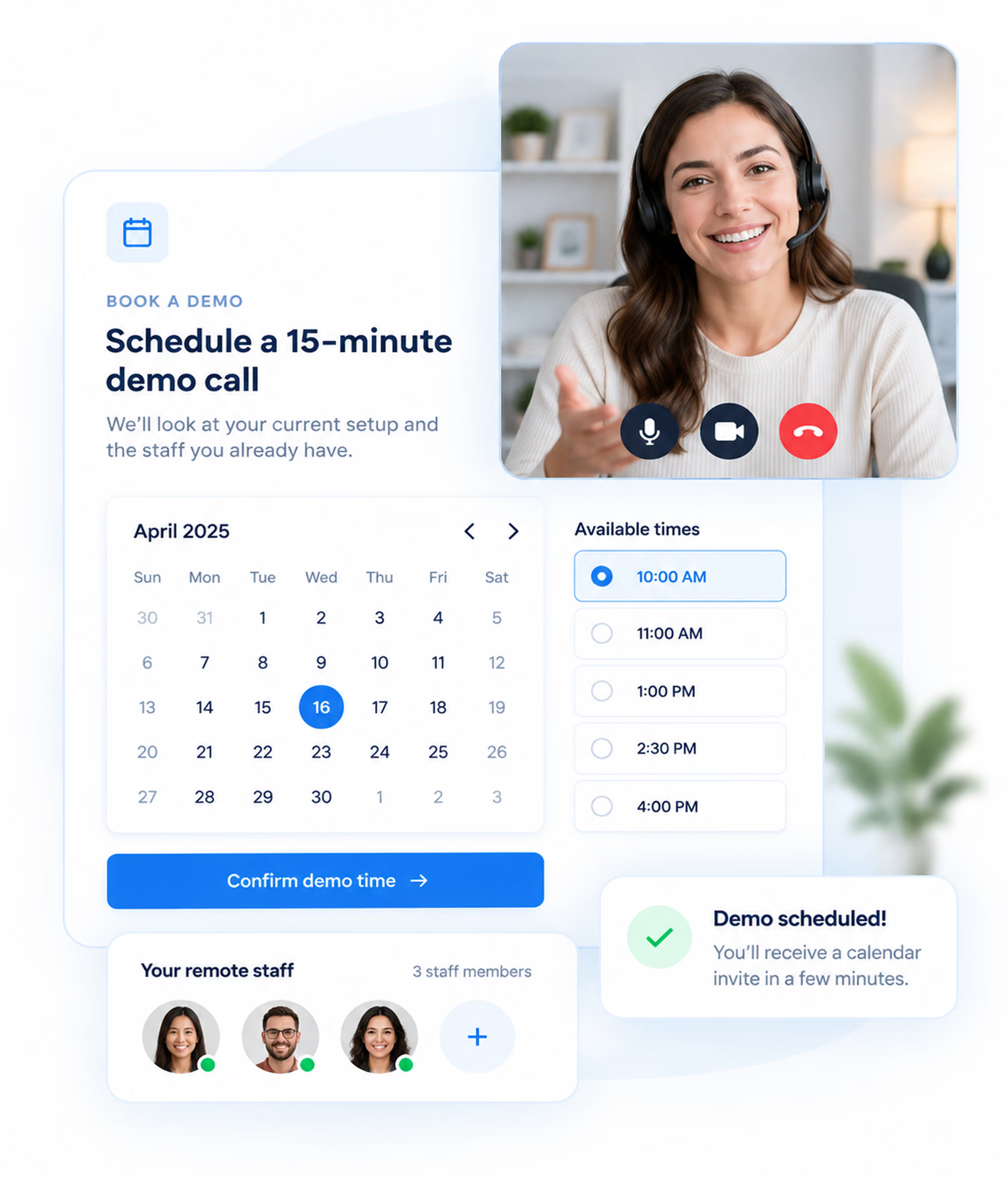
Let Us Walk You Through It in 15 Minutes
Book a quick demo and see how you can manage your remote staff more efficiently. We'll look at your current workflow and show you exactly what it looks like once we take it on.
Lawyers - You're 50% There!
Explore Our Pre-Vetted Remote Talent Pool.
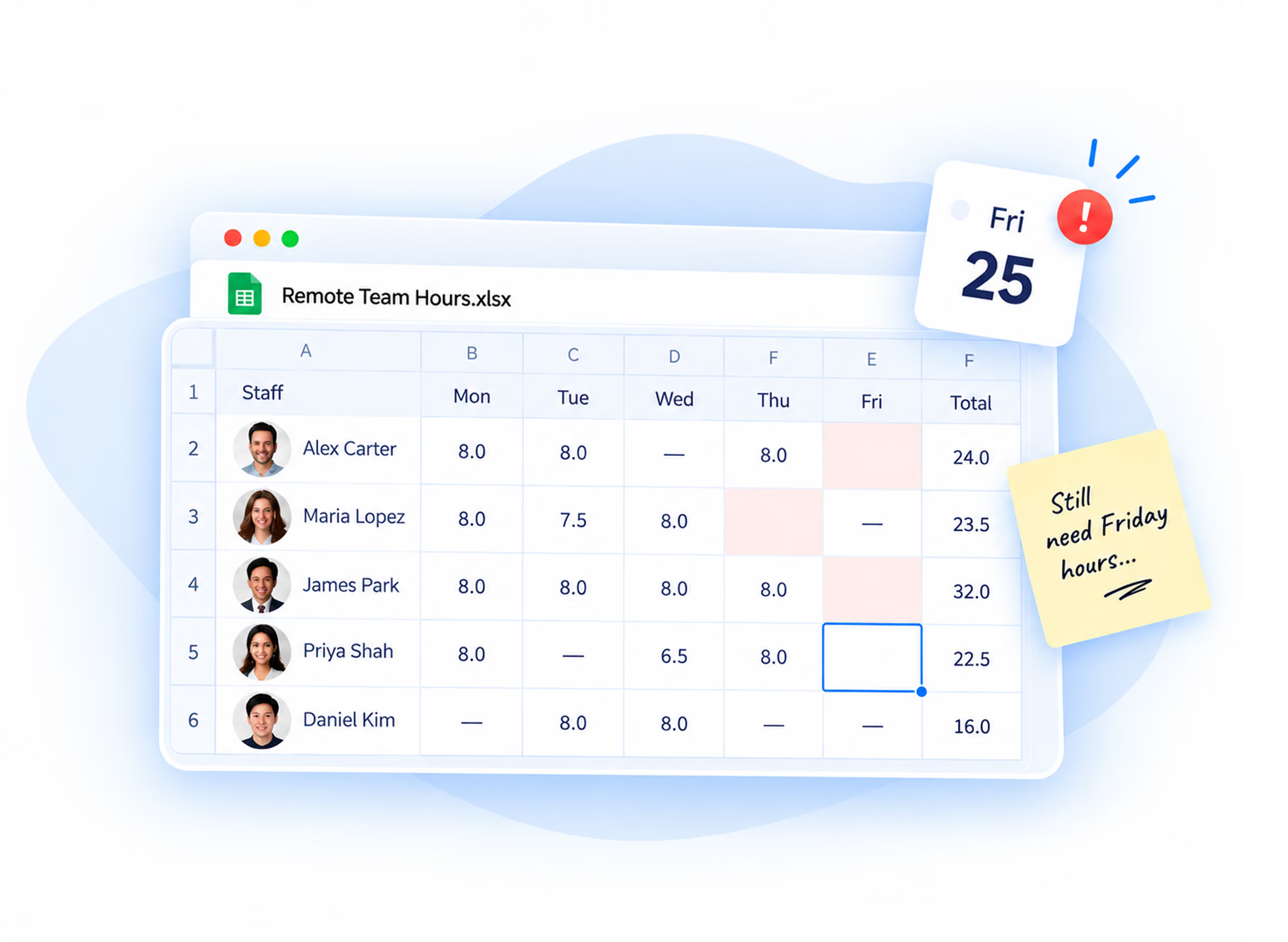
Your Remote Team Shouldn’t Run On Workarounds
Hours
Payments
Visibility
Admin
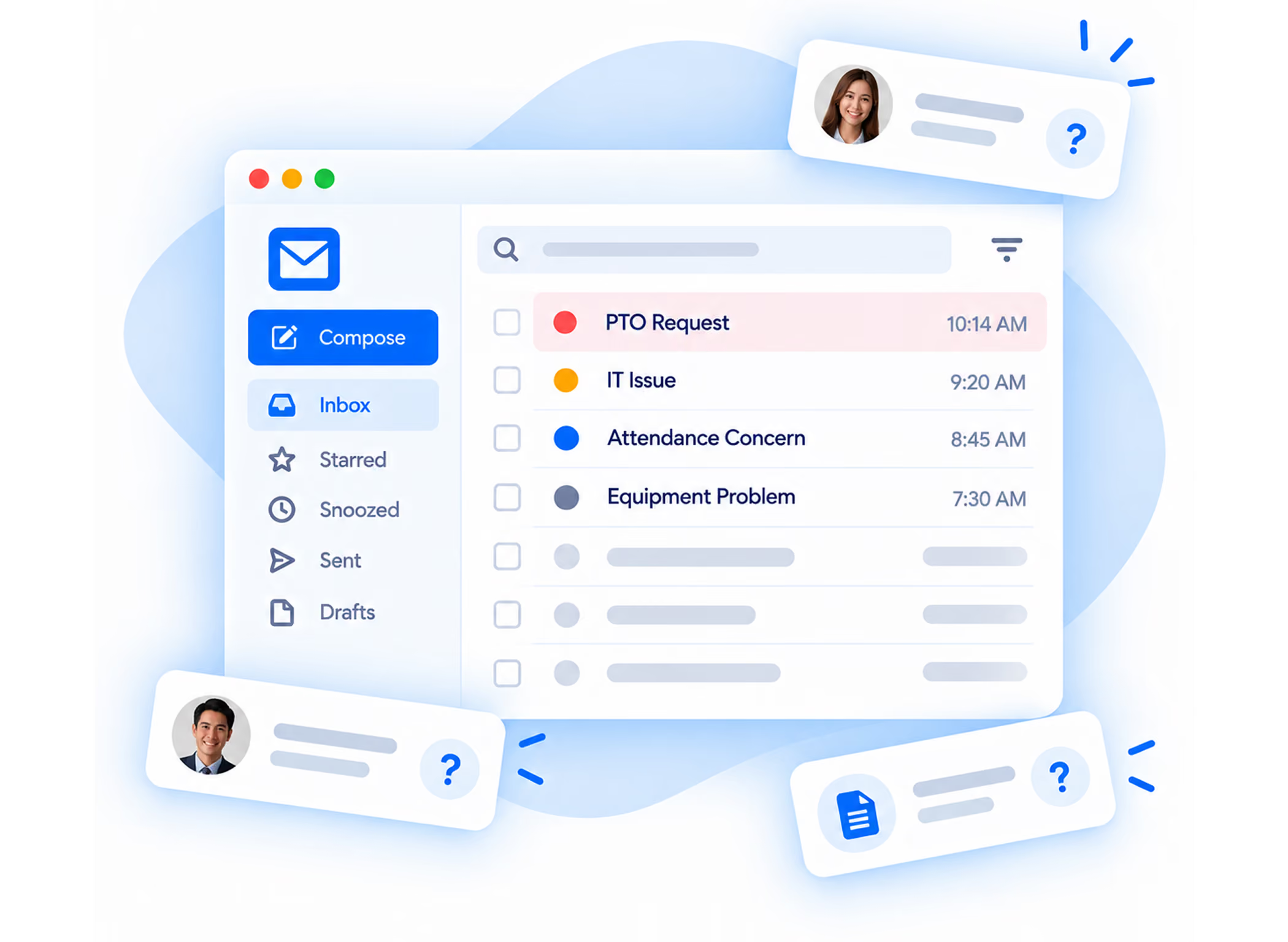

Who Manages Your Remote Team?
We take that off them. Your firm keeps the legal work and the supervision. We take the administration that comes with employing people in another country.
We Handle Every Part of Managing Your Staff.
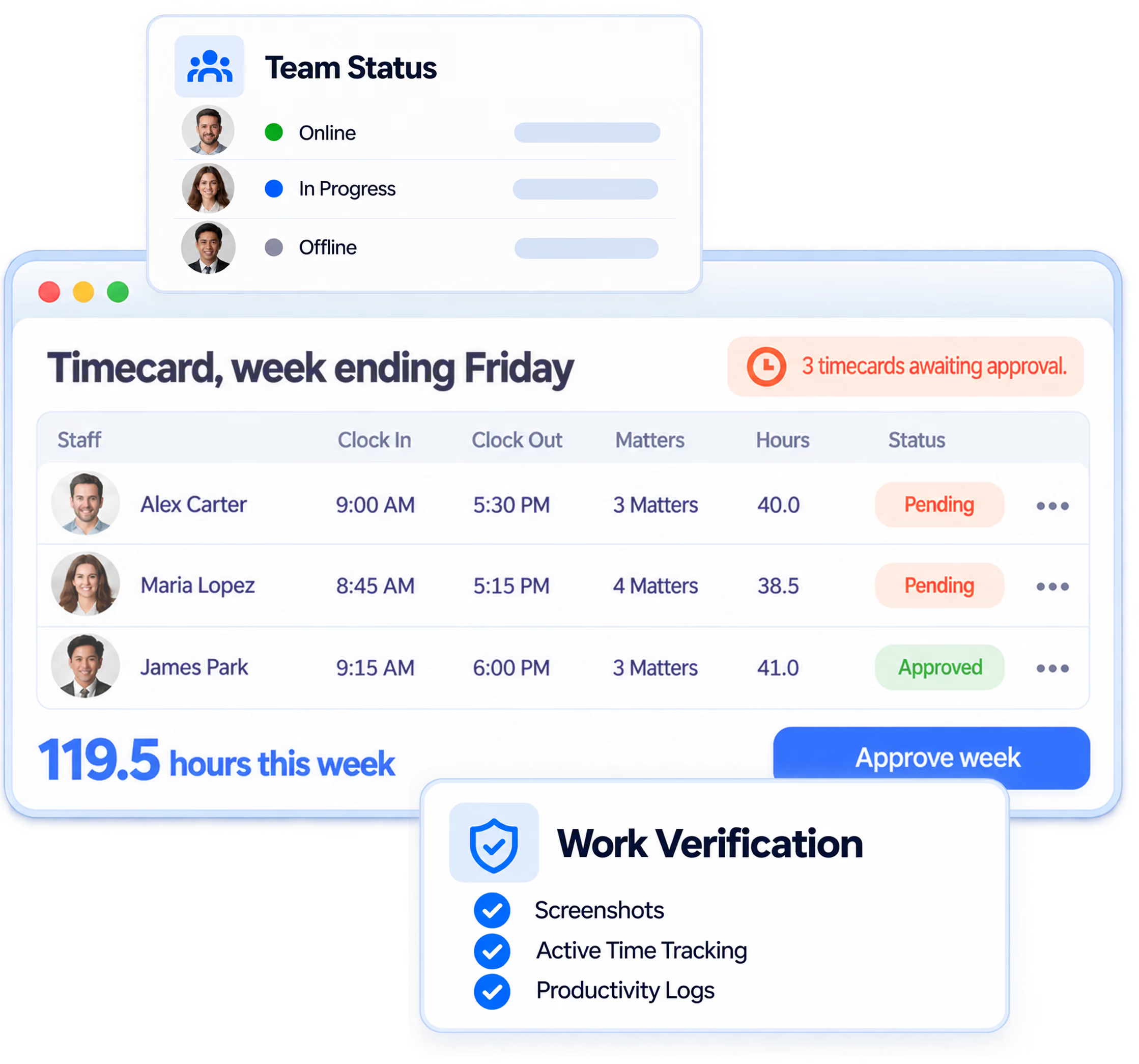
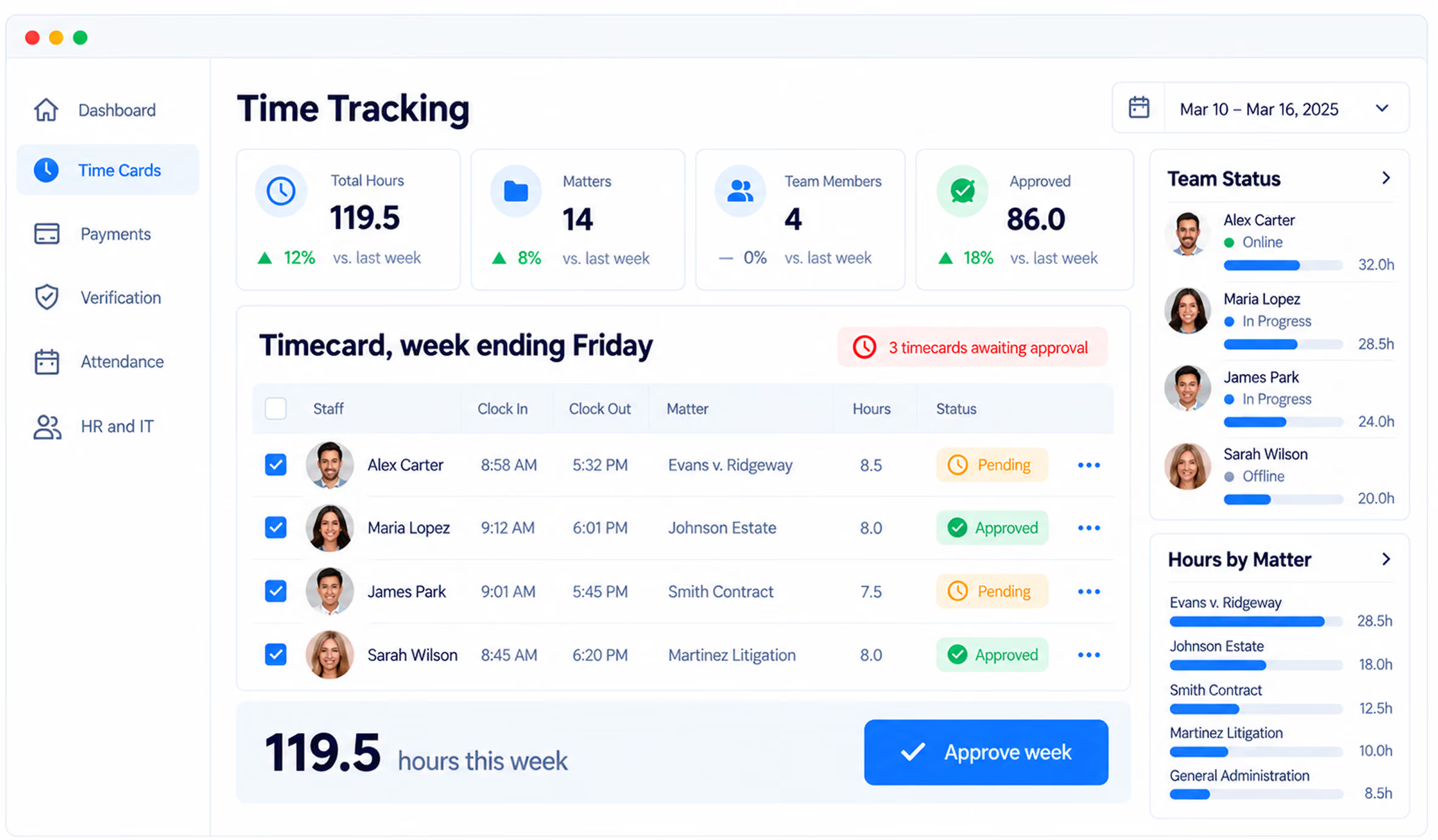
Time Tracking Your Law Firm Can Audit
- Weekly view, broken down by matter
- Approve in one click
- Approved hours export as a billing record
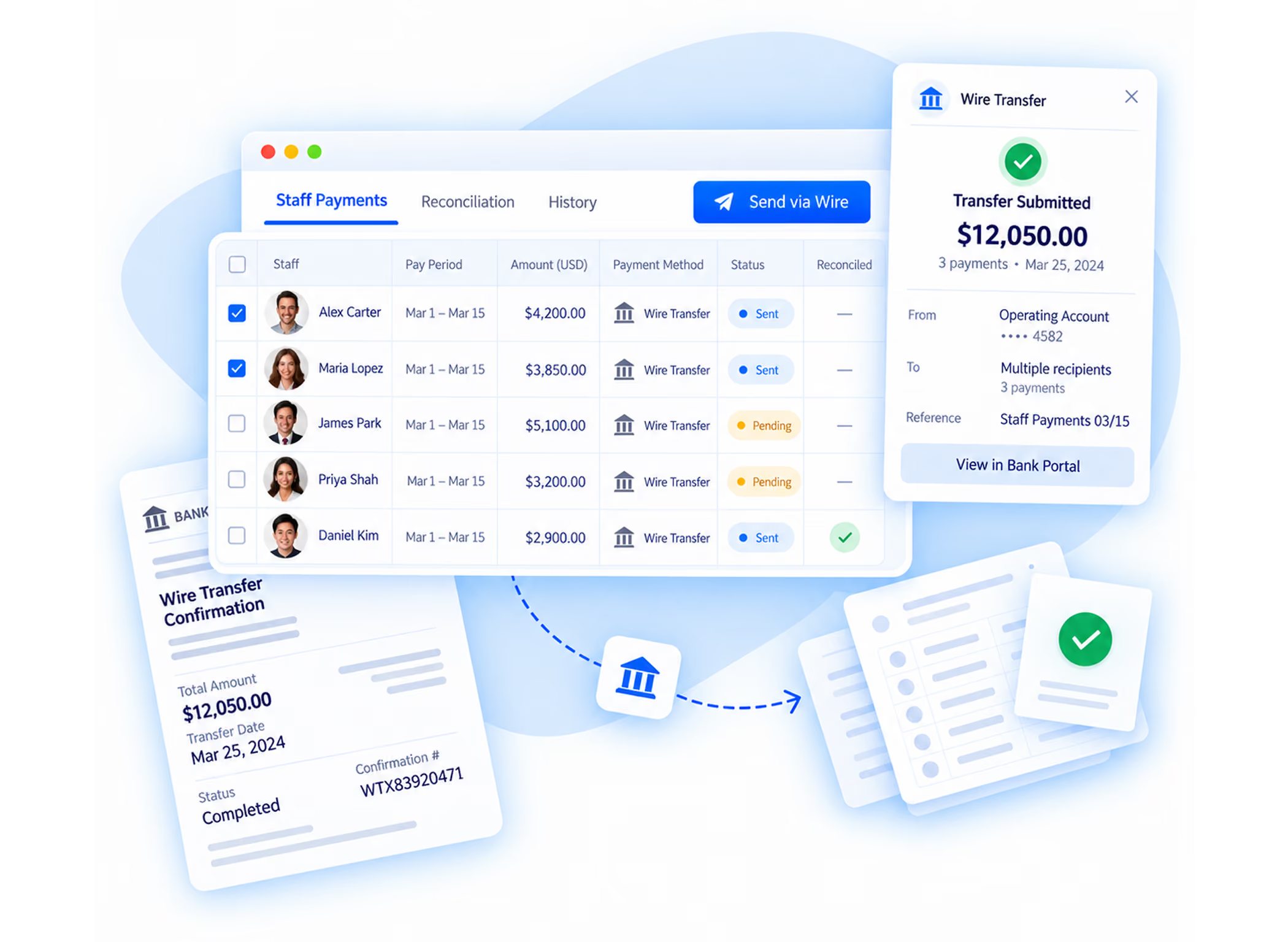
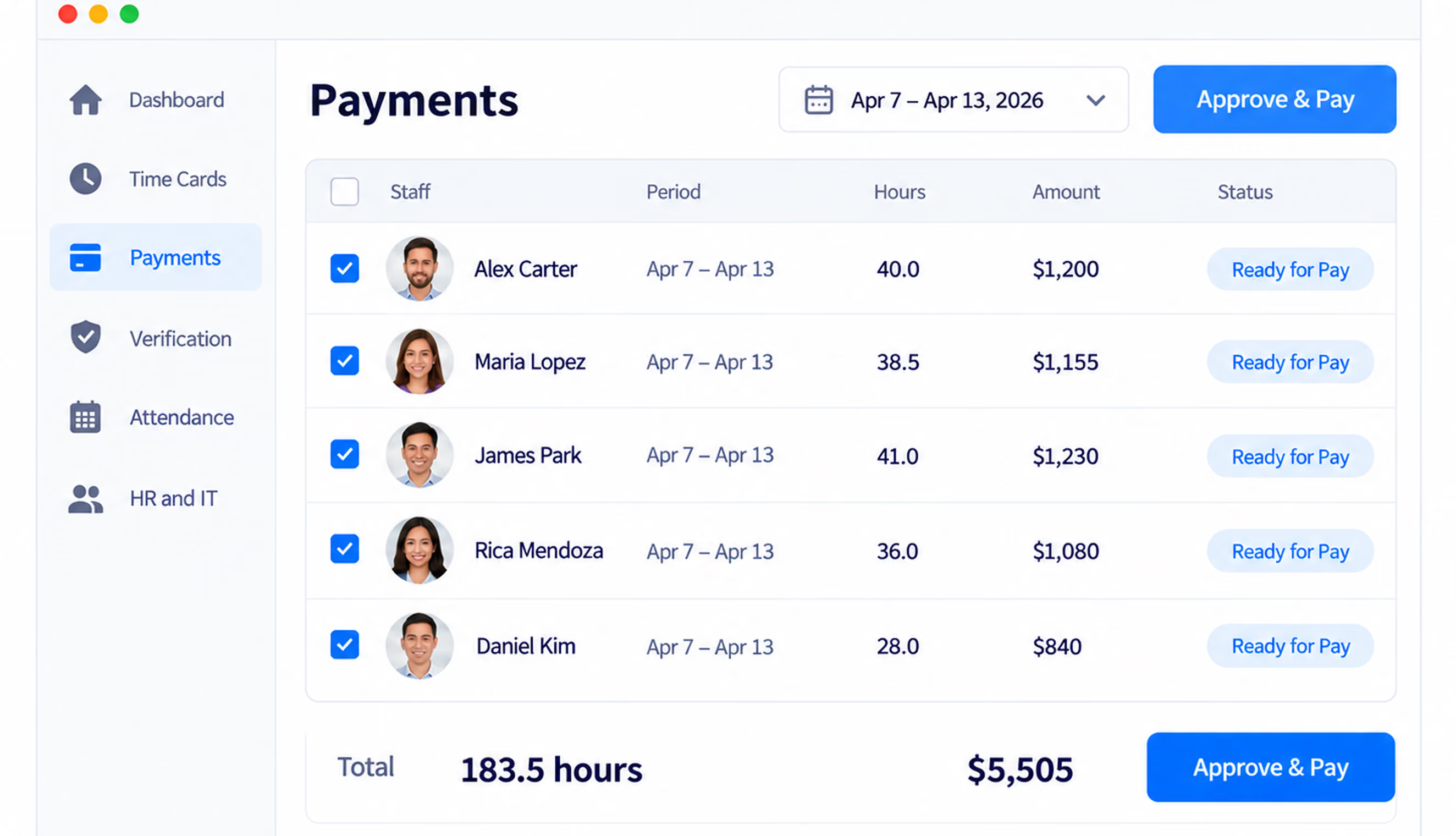
Pay Your Staff Within 24 Hours of Approval
- Invoiced for the same approved hours
- Nothing to pre-fund, no wire to send
- On-time pay keeps trained staff
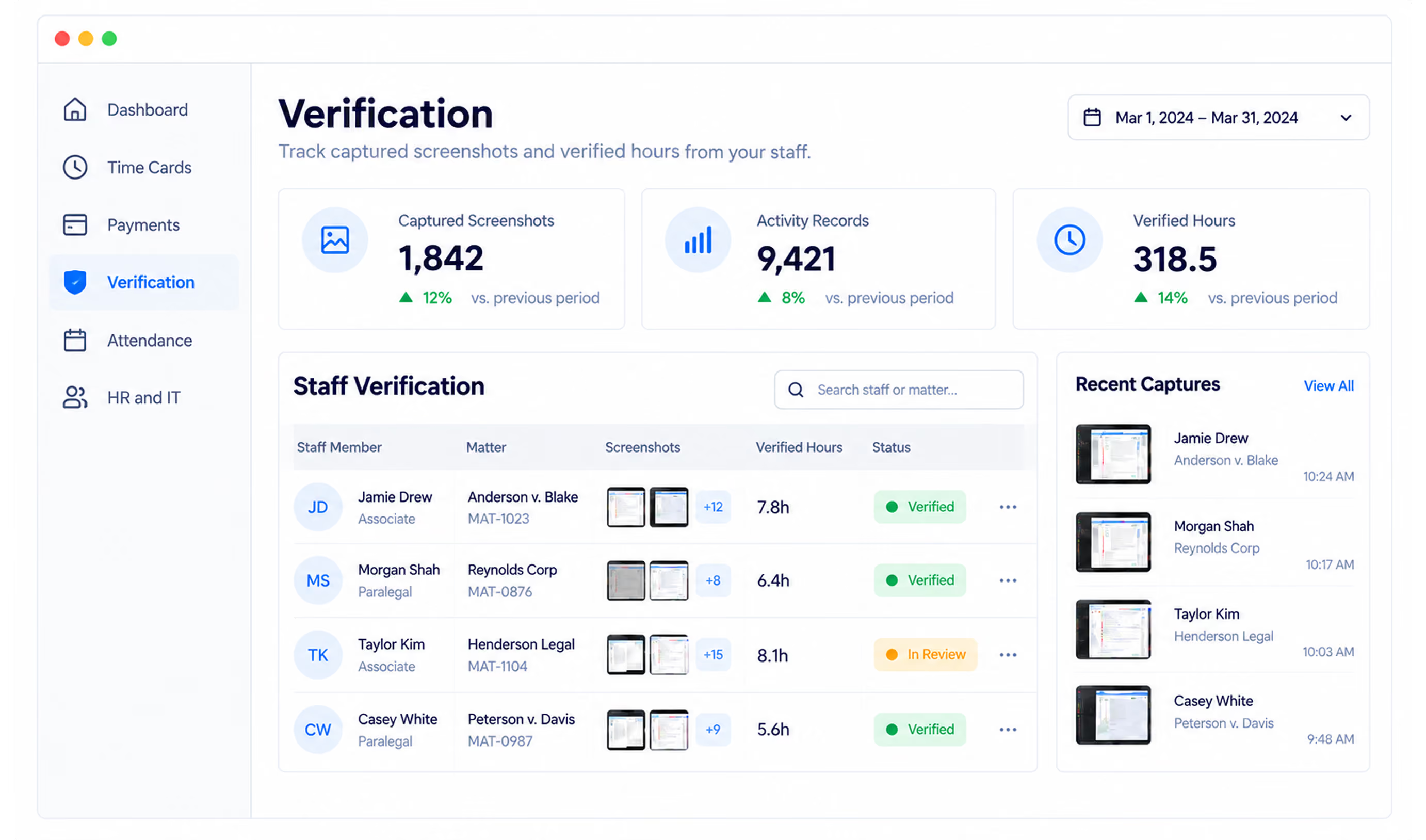
Verification You Control
- Your firm decides what is captured
- Staff are told before capture begins
- Proof that billed hours were worked
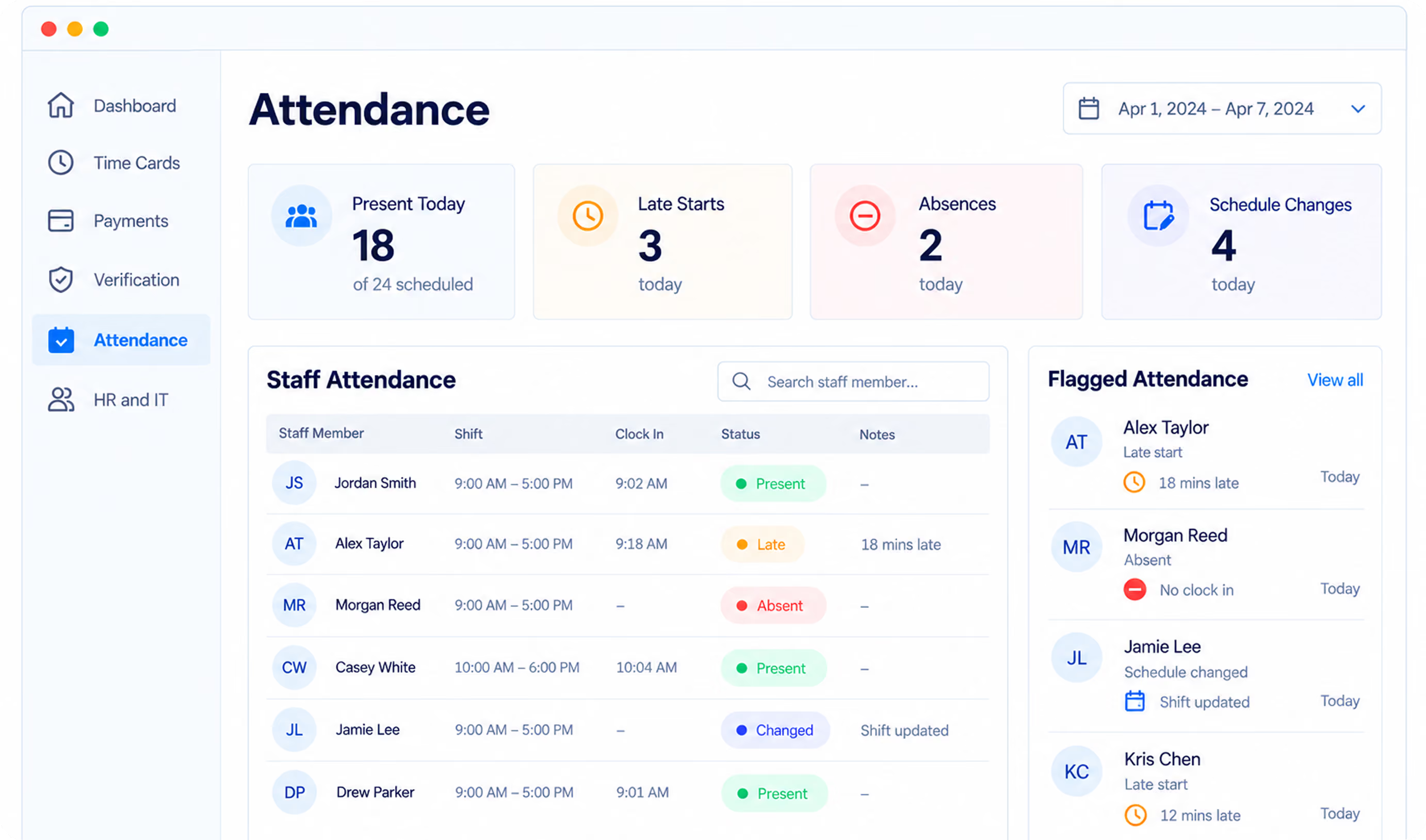
Attendance You See on the Day
- Flagged the day it happens
- Patterns visible per staff member
- Sits alongside the timecard
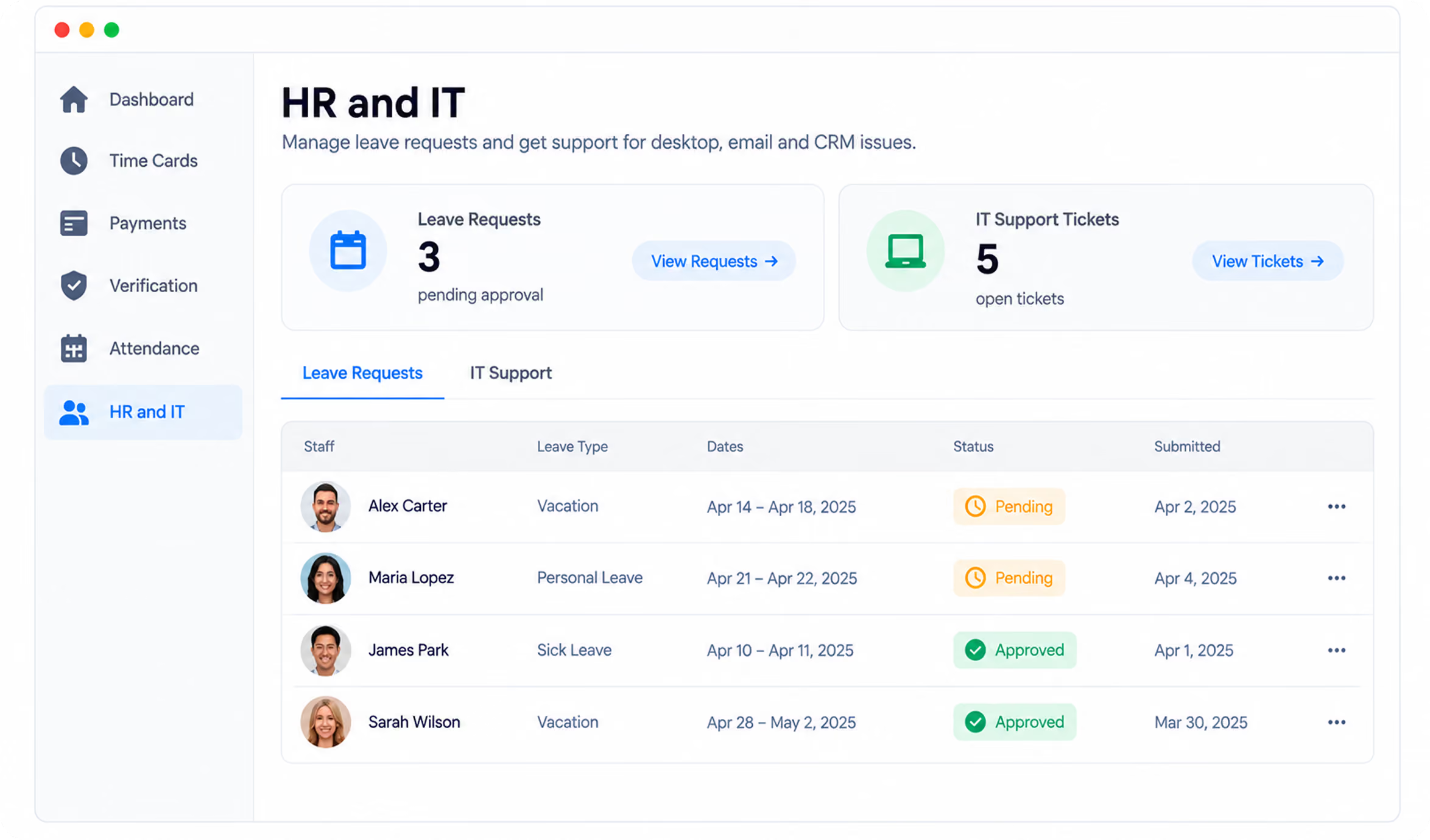
HR and IT, Handled
- Leave requests tracked and applied
- Desktop, email and CRM support
- You keep the legal work, not the paperwork
What Is Included
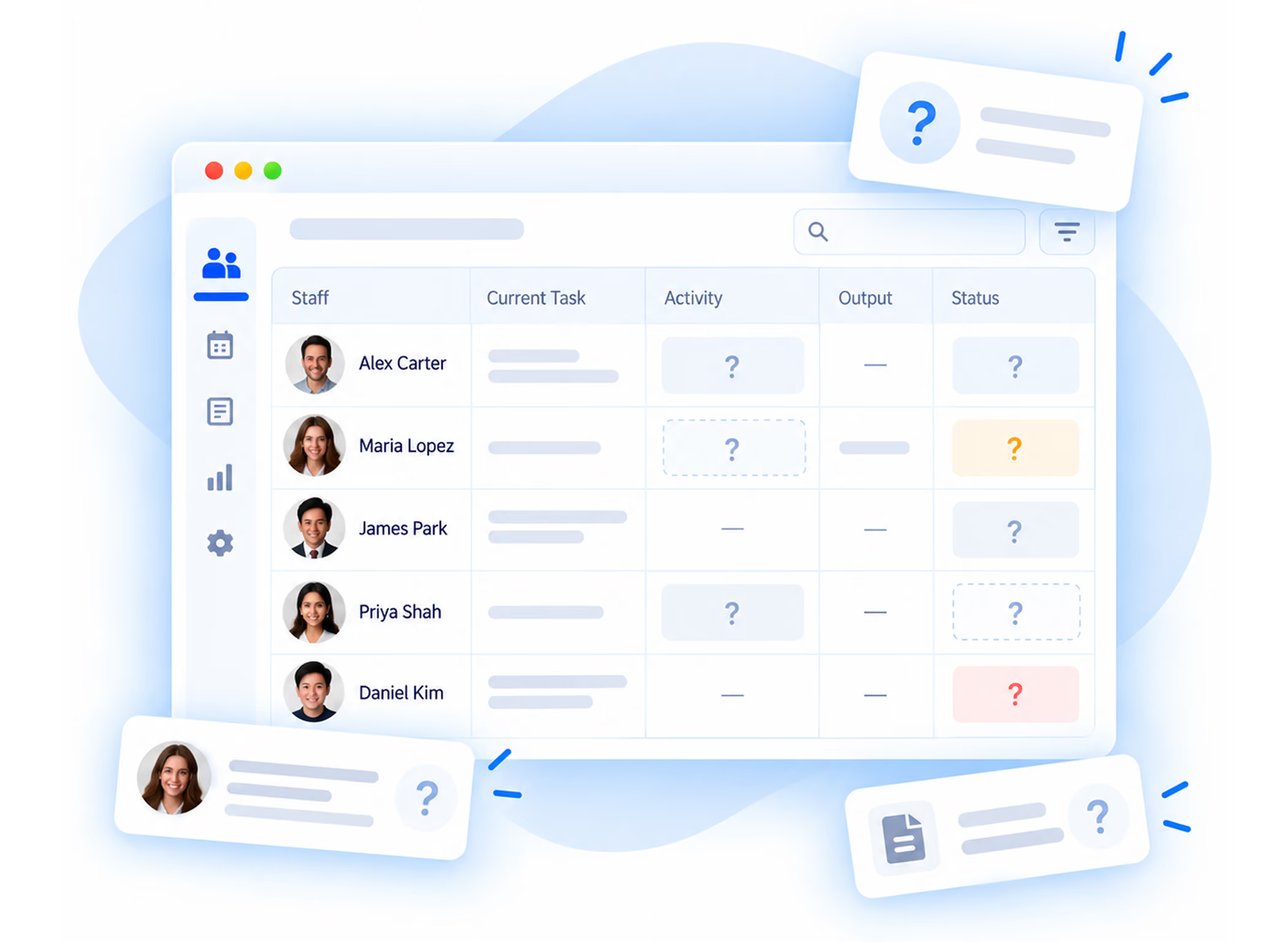
We keep roles, schedules, assignments and status current for every remote staff member, and you see all of it in one view.
Set expectations with us, and we track output against them and keep a documented review history for every staff member.
Late starts, absences and schedule changes are logged automatically. You find out on the day, not at payroll.
PTO, vacation, leave requests and attendance policy handled for you. Your office manager stops being an HR department.
Desktop, email and CRM support for your remote staff. When something breaks at their end, they call us.
Need another paralegal or intake specialist. Browse vetted candidates by role and practice area without leaving the platform.
Everything You Need to Run a Remote Legal Team
A single operational layer for the recurring work that usually gets split across spreadsheets, wires, inboxes and separate support vendors.
One Plan.
Every Feature Included.
Billed monthly per staff member. No setup fee, no long-term contract.
- Time card tracking and approval
- Payment processing within 24 hours of approval
- Security verification and activity records
- Performance and attendance management
- HR support for PTO, vacation and leave
- IT support for desktop, email and CRM
- Talent pool access
Already Have Virtual Staff? Let Our Team Manage Them.
If you already have virtual assistants, paralegals or case managers, let us help you manage all of them. You get time tracking, verification, payments, HR and IT support without rehiring anyone.
You keep your staff. You get the infrastructure.
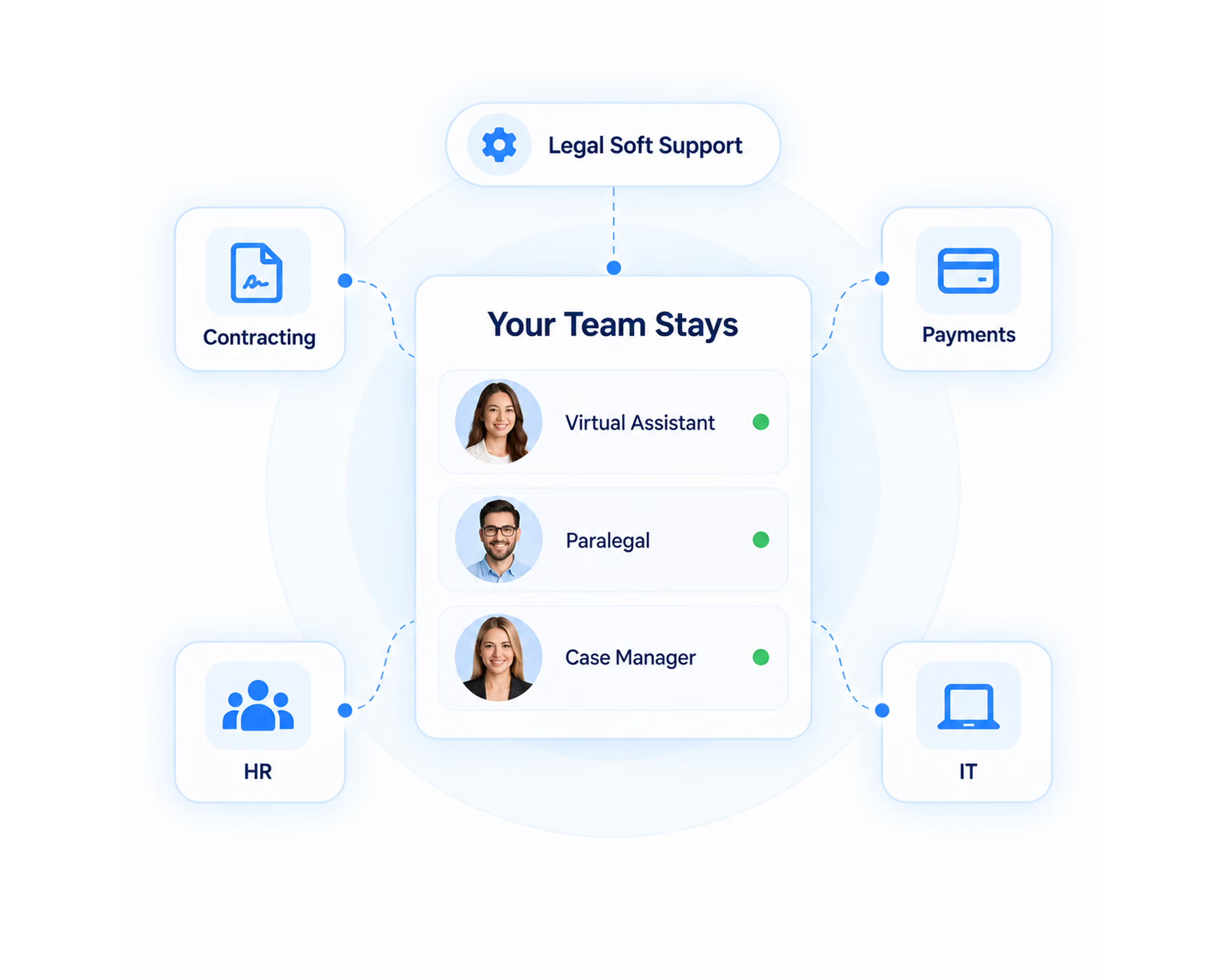
The same staff, the same work. Nobody reapplies or reinterviews.
Whatever you already agreed carries over unchanged.
We take over contracting, payment rails, HR and IT support.
Staff are set up and clocking in within a few days of the demo.
Set Up Your Remote Workforce in Four Steps
- 01Book a demo
Fifteen minutes. We look at your current setup and the staff you already have.
- 02Add your staff
Existing virtual staff are added with their roles, schedules and rates.
- 03Set your rules
Hours, verification settings, PTO policy and approval flow are configured to your firm.
- 04Approve and pay
Review timecards each cycle, approve, and payment goes out within 24 hours.
View Our Roles For Your Firm




“I had nothing but exceptional service and results with Legal Soft, allowing me to get my firm up and running and flourish in a very saturated world of personal injury.”

Watch Video

“Legal Soft has been able to provide virtual assistance to help our intake group, and they’ve done an excellent job. The intake specialists they provided show up on time and achieve their goals.”

Watch Video

“Their virtual assistants have been amazing. They’re very much on top of everything and very familiar with the whole personal injury field.”

Watch Video

“We’ve now been able to find qualified employees from all over the world. I’ve been extremely delighted and pleased with the slates of candidates.”

Watch Video

“Legal Soft has been fantastic. They’re on it, they follow up with you, they take the feedback, and they get it done super, super quick.”

Watch Video

“Legal Soft has been a tremendous partner and ally that I would suggest and recommend to anybody looking to scale their business.”

Watch Video

“Legal Soft has been nothing but amazing. They’ve really taken my firm and my business to the next level.”

Watch Video

“I would highly recommend Legal Soft to anyone who’s trying to grow their law firm.”

Watch Video

“Legal Soft speaks volumes about you caring for the success of our practice. I’m sure if you do it for us, you do it for everybody.”

Watch Video

“Legal Soft as a whole provides value to law firms and lawyers, so big shout out to them. We do have cases rolling in now basically on a daily basis.”

Watch Video

“Legal Soft has given me a solid game plan for growing my practice and my business in a way that I really didn’t think was possible in a niche that I was in.”

Watch Video

“Legal Soft has been an amazing partner for me. My engagement was simply for virtual staffing to support a new lead intake process, and over that time, it has helped me in scaling my firm.”

Watch Video

“Looking forward to suggestions of growing my practice and developing my business. I really appreciate the time with Legal Soft.”

Watch Video

“Legal Soft is always there for you. We highly recommend their company. You won’t go wrong with them.”

Watch Video

“I recently opened my own firm, and a friend of mine recommended me to Hamid Kohan. It was only a month ago, and ever since, everything has been exceptional.”

Watch Video

“Thank you, Hamid and the Legal Soft team, for all of their help from the inception of my firm up until now. They've helped me with my staffing needs, so I'm very grateful to their whole team.”

Watch Video

“As a personal injury attorney with a high caseload, it's important we streamline most of our operations, and that's where the Legal Soft team has come in and helped us.”

Watch Video

“I want to share with you my views on virtual staff. I would say that it can be an absolute game changer for your law firm, where you can use it for different roles.”

Watch Video

“I’m not letting go of their team, and I’ll make them part of my team for many, many years to come. Highly recommend it.”

Watch Video

“Since 2019, Legal Soft has been a tremendous resource. They made sure I had enough clientele to sustain me. They also did a wonderful job of partnering me with other law firms.”

Watch Video

Your Guide To Common Questions and Solutions
Yes. We work with the staff you already have. You add them, set their schedules and rates, and they clock in with us. There is no requirement to hire through Legal Soft.
We pay your staff within 24 hours of your approval, in their local currency. Your firm is then invoiced for the same approved hours. There is no account to pre-fund and no international wire to send.
During logged working hours we can capture screenshots, keyboard activity and mouse activity. Your firm decides which of these are on, and staff are informed before capture begins.
A staffing agency finds you people and stops there. With Remote Workforce Management we also run them day to day: hours, pay, performance, attendance, HR and IT. Legal Soft does both, and we will manage staff we never placed for you.
$249 per staff member per month, billed monthly. No setup fee, no minimum staff.
Staff clock in and out at the start and end of each shift. We calculate breaks and totals and build them into a timecard. You review and approve each cycle, and approved hours become the billing record.
We process payment within 24 hours of your approval of the timecard.
It can be, when it is disclosed and configured. Verification supports your duty to supervise nonlawyer assistants by creating a record of who worked on what. Settings are controlled by your firm, not by us.
They contact our IT support directly for desktop, email and CRM issues. Your firm is not the help desk.
No. You can add or reduce staff as your caseload changes.

Join our newsletter today Get instant updates
