

AI tools for immigration law firms now handle work that used to take hours, from intake questions to form drafting and case assembly. The options are not alike, so the right pick depends on the work your firm does most.
This guide compares the leading tools, with features, pros, and cons for each. It also covers what to check before any client data goes into a tool.
What Does AI Actually Do in an Immigration Case?
Picture a family-based case from the day the client first reaches out. Someone answers the inquiry, collects the marriage certificate and tax records, fills the I-130 and I-485, drafts a cover letter, and labels the exhibits. AI tools now take a first pass at nearly every one of those steps.
They are not interchangeable, though. A research assistant answers questions about the law. Case management AI works from files already in the system, and immigration-specific platforms produce the filing documents themselves. An attorney, a paralegal, or legal support staff still reviews each result before it goes out.
Comparison of the Best Immigration AI Tools
The table puts every tool side by side, ranked in the order the entries appear below. “Key features” show what each tool does, and “best for” names where it fits best. Use it to narrow the list before reading the full entries.
Best AI Tools for Immigration Lawyers
The list runs from the tools closest to immigration casework to the most general ones. Each entry says what the tool does and where it stops.
1. Docketwise – Best for Immigration Form Data Capture
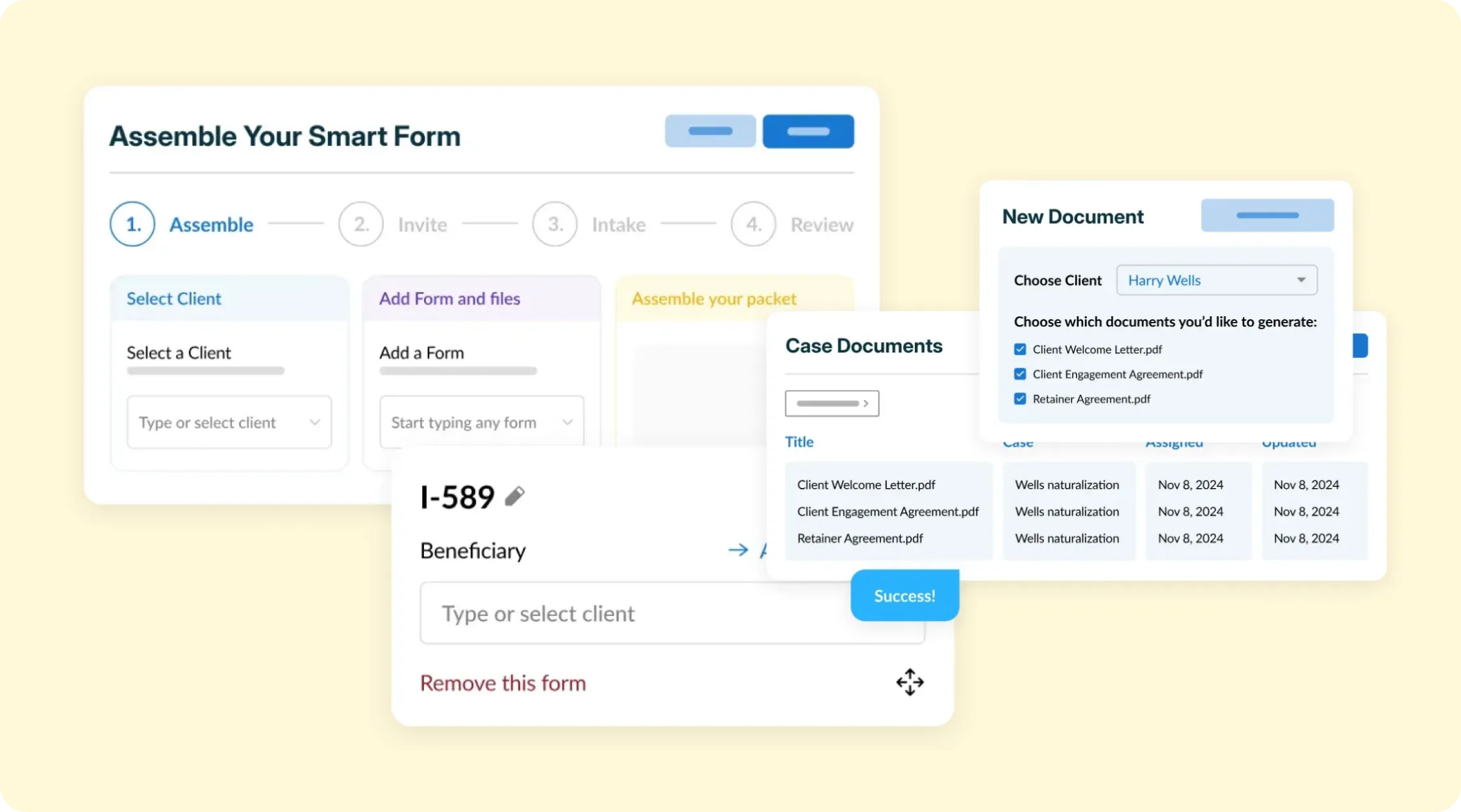
Docketwise is immigration case management software with two named AI features. Its own guidance says no AI tool can replace immigration lawyers, and the lawyer edits and signs off on the final text. Firms that want help with data entry and client messages will find a good fit here.
Features:
- Document Assistant pulls names, dates, and key details from documents into USCIS forms
- Writing Assistant adds English and Spanish translation to client writing
- Case management for forms, deadlines, and client records
Pros:
- Built for immigration work rather than adapted from another practice area
- Forms fill from uploaded documents, which cuts retyping
Cons:
- The two named AI features do not include drafting full petition narratives or assembling exhibit packets
2. US Immigration AI – Best for the Full Case Lifecycle
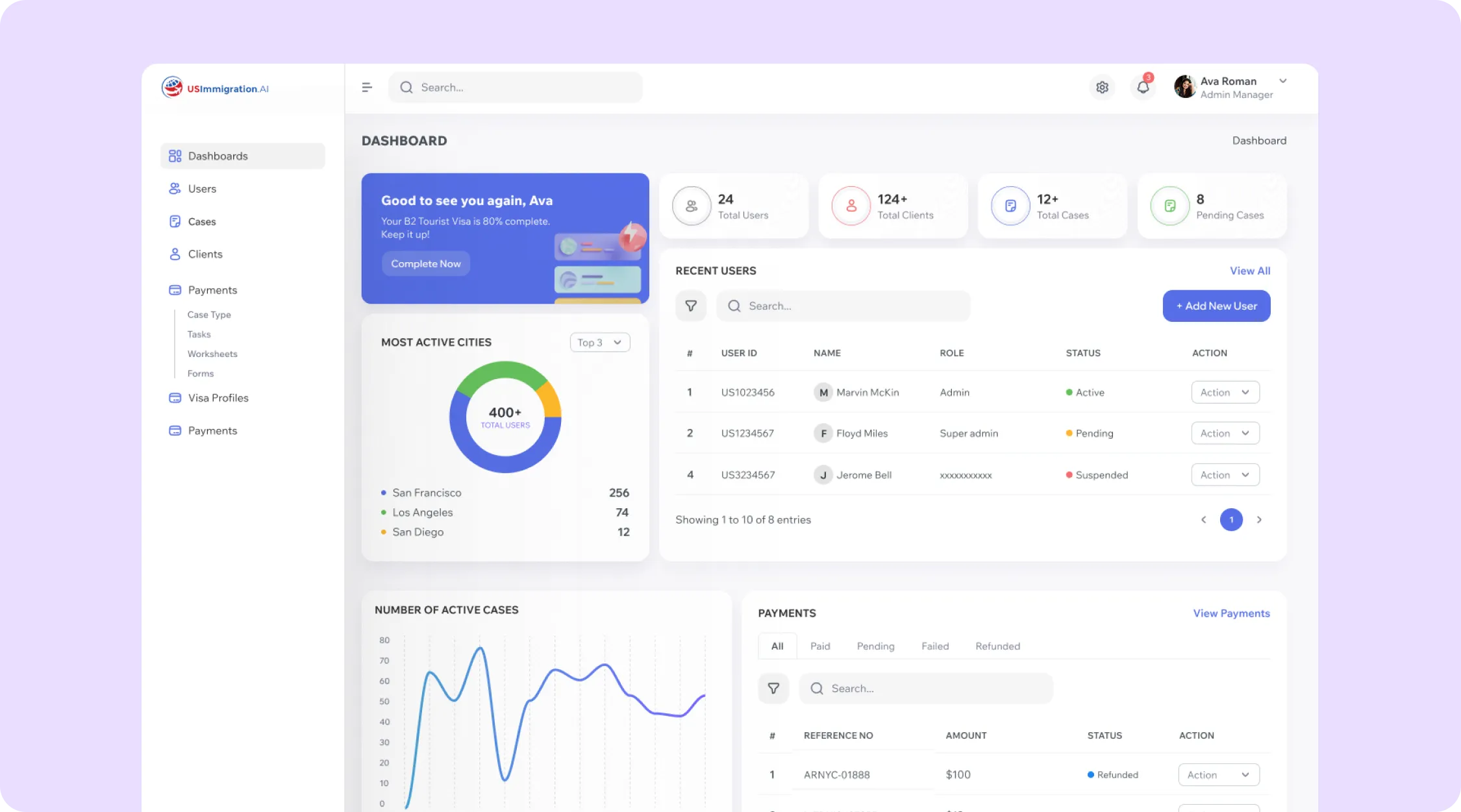
US Immigration AI is AI-powered software designed for immigration lawyers that automates the case from first client inquiry to final assembled package. It pre-fills USCIS forms from intake data and drafts cover letters, letters of explanation, and affidavits. Every case stops for attorney verification before it moves forward.
Features:
- 24/7 intake assistant that screens new leads
- Form pre-fill and drafting for family petitions such as the I-130, I-485, and I-751, and employment filings such as the I-140 and PERM
- Labeled exhibit index with continuous pagination, updated when exhibits are reordered
- Client portal that collects documents, flags what is missing, and reminds clients to upload it
- Retainer payments routed into trust accounts
- SOC 2 Type II, ISO 27001, GDPR, and CCPA compliance
Pros:
- One system covers intake, retainers, document collection, drafting, and case assembly
- An attorney approves each case before it moves forward
- Works alongside existing client portals, case management systems, and document storage
- Handles the exhibit index and pagination that firms often build by hand
Cons:
- Built only for immigration law, so it does not serve other practice areas
3. Drafty AI – Best for Drafting Briefs and Petitions
Drafty AI is a drafting workspace for immigration attorneys. Its site describes drafting petitions, briefs, motions, and responses to requests for evidence (RFEs) in minutes. The workspace starts from a guided questionnaire and includes built-in legal research.
Features:
- Smart Upload fills case details from client documents
- Supported case types include asylum briefs, waivers, VAWA petitions, and RFE responses
- Section-by-section editing, with export in the firm's own template
Pros:
- The guided questionnaire gives every draft the same starting point
- Research sits next to the draft, so there is less switching between tools
Cons:
- The homepage centers on drafting and does not list payments, retainers, or case management
4. LegistAI – Best for Multilingual Client Portals
LegistAI is an AI-driven case management system for immigration firms. Its site describes Smart Forms for the I-130, I-485, and G-28, deadline tracking, and USCIS notice reading. AI-assisted research and drafting support are included too.
Features:
- Smart Forms for the I-130, I-485, and G-28
- Deadline tracking and USCIS notice reading
- Client portal that runs 24/7 in English, Spanish, Portuguese, and Arabic
Pros:
- The four-language portal suits firms whose clients do not all read English
- Case management, research, and drafting support come in one package
Cons:
- The homepage lists no security certifications, so ask for them in writing
- Pricing sits on a separate page, so request a quote early
5. eimmigration – Best for E-Filing and Case Tracking
eimmigration combines e-filing, case tracking, and a client portal in one immigration platform. Its homepage lists e-filing connections to USCIS, the State Department, CBP, and the Department of Labor. Firms that file with several agencies may find that range useful.
Features:
- E-filing connections to USCIS, the State Department, CBP, and the Department of Labor
- Case tracking and a client portal
- AI Workmates, named on the homepage
Pros:
- Filing to four agencies from one platform
Cons:
- The page names AI Workmates without saying what they do, so ask for a live demo of each one
6. CampLegal – Best for Receipt Tracking and a Client App
CampLegal is immigration case management software with a client app and legal trust accounting. Its site says a photo of a USCIS receipt notice yields the receipt number, case type, priority date, and notice date. Clients can also complete intake in their own language and pay on flexible schedules through the app.
Features:
- USCIS receipt notice reading from a photo
- Client app with multilingual intake and flexible payment schedules
- Legal trust accounting
Pros:
- Receipt reading saves staff from keying in notice details
- The site displays a SOC 2 badge
Cons:
- The site names an AI Features Suite without detailing what it contains
7. Clio – Best for Multi-Practice Firms
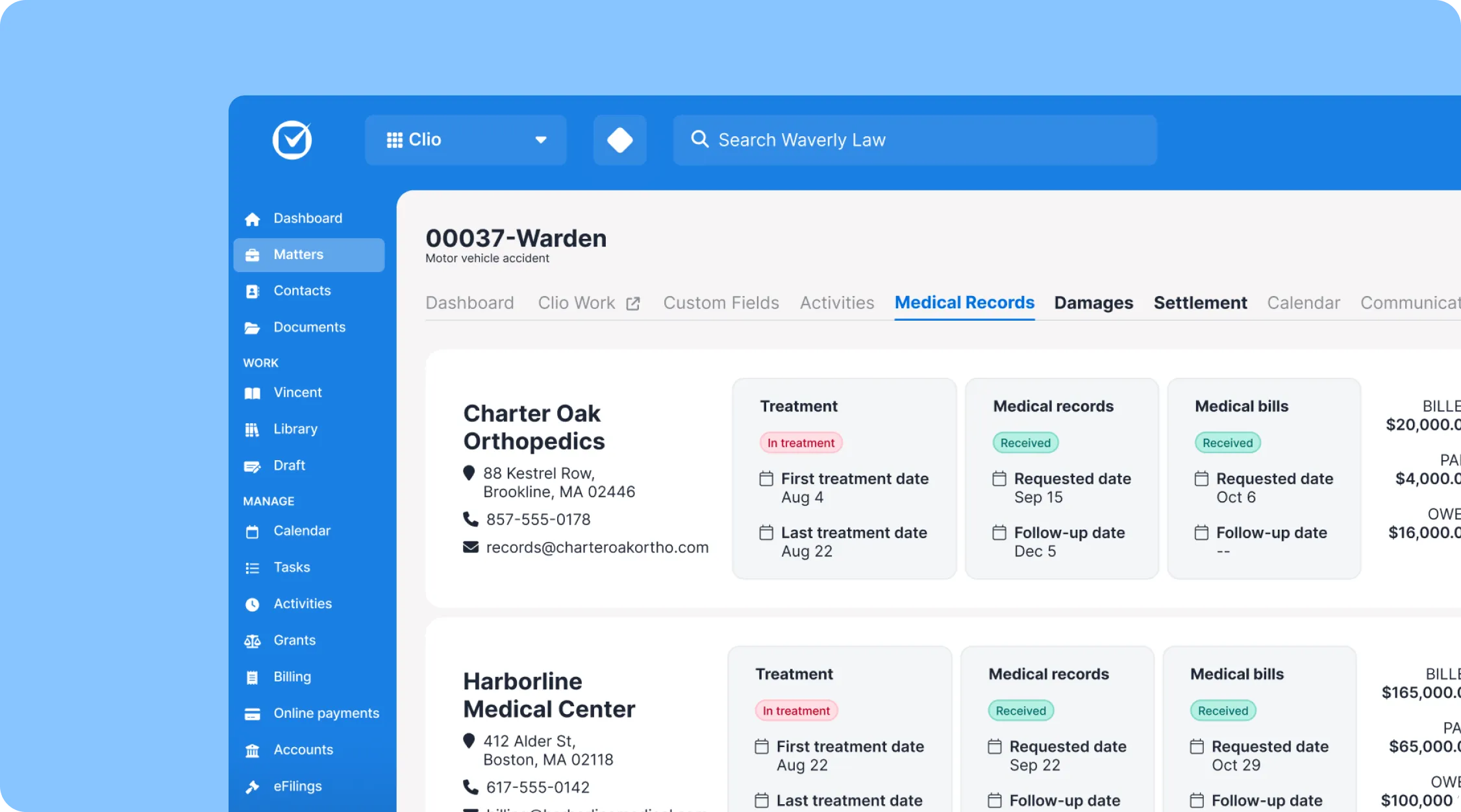
Clio Manage is a general practice platform, and Manage AI (formerly Clio Duo) works inside it. It summarizes documents, suggests calendar events and tasks, and drafts emails and texts. Clio says it never trains models on your data.
Features:
- Document summaries
- Suggested calendar events and tasks
- Drafted emails and texts
Pros:
- One system for firms that handle several practice areas
- A stated policy against training models on your data
Cons:
- Immigration forms depend on add-ons or custom setup
8. CoCounsel – Best for Legal Research Across Practice Areas
CoCounsel, from Thomson Reuters, combines research, analysis, and drafting in one workspace. Its page says the attorney stays in control and can inspect the reasoning from start to finish. Broad research is where it fits best.
Features:
- Legal research and analysis
- Drafting in the same workspace
- Visible reasoning the attorney can inspect
Pros:
- Covers legal content across practice areas
- Each step can be inspected before the attorney relies on it
Cons:
- The page describes legal professionals in general and does not mention immigration forms or case files
9. Lexis+ with Protégé – Best for Citation-Checked Research
Lexis+ with Protégé grounds its AI research in LexisNexis legal content and drafts briefs, motions, and client communications. Shepard's citations validate the status of authorities, and Shepard's Verify checks citations in AI responses and drafts. Research and brief support are its strengths.
Features:
- Research grounded in LexisNexis legal content
- Drafting of briefs, motions, and client communications
- Shepard's citations and Shepard's Verify for citation checks
Pros:
- Citations in AI responses and drafts get checked before you rely on them
Cons:
- The page does not mention immigration forms or case files
What to Look for in an Immigration AI Tool
Start with where your hours go. A firm behind on intake calls needs different software than one behind on drafting. Your current software may already include some of what you need. Then run the same six checks against two or three vendors so the answers are comparable. Ask each one for a demo on a case type you file often. Get the answers in writing before any client data moves.
Immigration-specific output
Ask for a sample draft of a case type you file often, such as an I-130 family petition. Compare it with a general assistant's draft to see how much restructuring each one needs. A tool that speaks the language of USCIS forms saves the most review time.
Written data terms and security
Confirm in the contract that the vendor does not train on firm data, and ask for a current SOC 2 Type II report. Ask the vendor to name where client data is stored and who can open each file. Keep client facts out of consumer chat accounts, because a court held that consumer AI chats were not privileged in United States v. Heppner (S.D.N.Y. 2026).
Filing structure USCIS software can read
USCIS runs its own software on the other side of your filing. It has disclosed several machine learning tools in the DHS AI Use Case Inventory.
The ELIS Evidence Classifier tags pages of digital evidence, and a Text Analytics Sentence Similarity Model finds similar text among submitted documents. DHS lists both as deployed. The inventory does not say how any single case is decided. It does show that USCIS applies machine learning to the pages and sentences of a filing.
Label every exhibit and page, write each narrative from the client's own facts, and keep names, dates, and Alien Registration Numbers identical across forms. Translations still need the full English version and the translator's certification under 8 CFR 103.2(b)(3).
Client funds and trust accounting
If a tool collects fees, confirm how it handles client money. ABA Model Rule 1.15 requires client funds to be kept in a separate account. Ask whether card fees come out of the firm's operating account so client money stays separate.
Attorney review built in
ABA Model Rule 1.1 requires competent representation. ABA Formal Opinion 512 (July 29, 2024) says that includes understanding a generative AI tool's benefits and risks. It also discusses supervisory duties under Model Rules 5.1 and 5.3, so AI output gets the same review as a new paralegal's work.
For immigration court, EOIR Policy Memorandum PM 25-40 (effective Aug. 8, 2025) addresses the use of generative AI in EOIR proceedings. Name one attorney or senior paralegal who owns review at two checkpoints: after intake data entry and before filing. That person compares each AI-assisted draft with the client's source documents.
One system for the whole case
Each extra tool adds a login and another copy of client data, so names and dates can drift between systems. Tools that pre-fill every form from one intake record limit retyping slips. Ask what a platform covers from intake to filing.
Tips on Using AI Tools in Your Immigration Practice
AI works best when it handles repeatable work while your team stays responsible for the final decision. Start with a few workflows where the benefit is easy to measure, then expand once your team knows where the tool performs well and where it needs closer review.
- Start with one workflow. Do not automate your entire practice at once. Start with one repetitive task, such as intake or document collection, and check where the output needs the most correction before you expand to more complex tasks.
- Review AI output against source documents. Compare important facts against passports, certificates, client questionnaires, and other source documents before approving the work. Do not review a draft only for grammar or formatting.
- Keep form editions and templates current. USCIS rejects filings made on outdated form editions, so confirm the tool updates its forms when USCIS does. Review your cover letter and exhibit templates on the same schedule.
- Set review responsibilities. Decide who checks AI-assisted work and when that review happens. For example, a paralegal can verify intake information and supporting documents before an attorney performs the final legal review.
- Track where AI actually saves time. Measure the workflows where AI reduces manual work instead of assuming every feature improves efficiency. Compare time spent before and after implementation on tasks such as drafting, document collection, and case review.
Pairing AI Tools With the Right Support
AI speeds up drafting and data entry, but the work around it does not disappear. Someone still chases the client for a missing birth certificate, confirms a translation is certified, and checks that names match across forms.
Many firms give that follow-up to legal support staff. Legal Soft places virtual legal assistants trained in immigration workflows with law firms. They handle document collection, client follow-up, and file preparation so your AI tools work from complete records.
The goal is not to choose between people and software. AI can handle repetitive steps faster, while trained staff handle the organization that requires attention to the individual case. Attorneys can then spend more of their time reviewing legal issues and making decisions.
Frequently Asked Questions
These are the questions firms ask most often before adding an AI tool to their workflow. The answers draw on the vendors' own pages and the ethics guidance cited above.
What is the best AI tool for small immigration law firms?
US Immigration AI and Docketwise are both good options for small immigration law firms with 2 to 10 employees. Both platforms offer affordable plans and immigration-specific features that are easy to adopt without requiring a dedicated IT team.
Can AI replace a paralegal at an immigration firm?
No. AI removes much of the repetitive drafting and data entry, but document follow-up, client communication, and case judgment still need a trained person. Most firms pair AI tools with in-house or virtual staff.
Is there a free AI immigration software tool?
Most immigration AI platforms do not offer a permanently free version. However, many provide free trials or demos so law firms can test the software before choosing a paid plan.
Does AI software file a case with USCIS for me?
It depends on the platform and the type of filing. Some immigration software supports e-filing or helps prepare filing-ready documents, while other platforms focus on assembling the case for attorney review.
For example, US Immigration AI prepares and assembles the case but keeps the attorney responsible for final review and approval. Ask each vendor exactly what happens between completing the case in the platform and submitting it to USCIS.
Does using an AI immigration tool count as legal advice?
No. An AI immigration platform is a tool that does not replace attorney judgment or form an attorney-client relationship. AI tools can organize information, generate drafts, and assist with research, but the lawyer remains responsible for reviewing the work and deciding what legal advice to provide.