

When your workload is piling up, it can feel never-ending. From reviewing stacks of documents to being dragged away to talk with clients and then another task adds up—before you notice you’re now juggling multiple tasks at once.
Often the challenge isn't just the work itself, but not having the right support tools to back you up—apps that make daily tasks easier and more manageable.
If you're a busy lawyer struggling to stay on top of your practice and constantly bouncing from one task to another just to keep afloat, we've put together a list of the best legal apps you can use right now that will put you in control of your practice and ease up your workload.
What are legal apps?
Legal apps are software applications that help lawyers work more efficiently by completing tasks faster and making their workloads more manageable. These applications can run on desktops or mobile devices and are often accessible online, with some also working offline.
Legal apps serve a variety of purposes. Most are designed to streamline legal work, while others focus on personal productivity to help improve law practice management.
Overall, they all share the same goal: making your work easier so you can deliver better client services.
15 best apps for lawyers by type
Here’s a quick glance at 15 legal apps you should try:
- Toggl Track (for time tracking)
- Google Docs (for document drafting)
- Evernote (for note taking)
- DocuSign (for E-signatures)
- LastPass (for password manager)
- Clio (for practice management)
- LawPay (for payment processing)
- Legal Soft (for talent marketplace)
- Google Calendar (for calendar management)
- Zoom (for video conferencing)
- Monday.com (for task management)
- Google Drive (for cloud storage)
- Slack (for internal communication)
- Big Law Dictionary (for law dictionary)
- Ironclad (for contract management)
Let's take a closer look at each one.
1. Time tracking
According to Clio's 2024 Legal Trends Report, the average lawyer records just 2.9 billable hours of an eight-hour workday, leaving 5.1 hours a day unbilled. Time tracking apps remove the guesswork and manual effort of recording hours that add up to administrative tasks.
Accurate time tracking for lawyers is key to capturing billable hours and recovering your unbilled work, which is important for building client trust and firm profitability.
Toggl Track
Toggl Track is a user-friendly time-tracking app with a simple interface that works across desktop and mobile devices, so tracking on the go is not an issue.
One of their solutions is designing its features for lawyers, which helps you track hours by multiple projects or cases, generate reports, and export invoices directly.
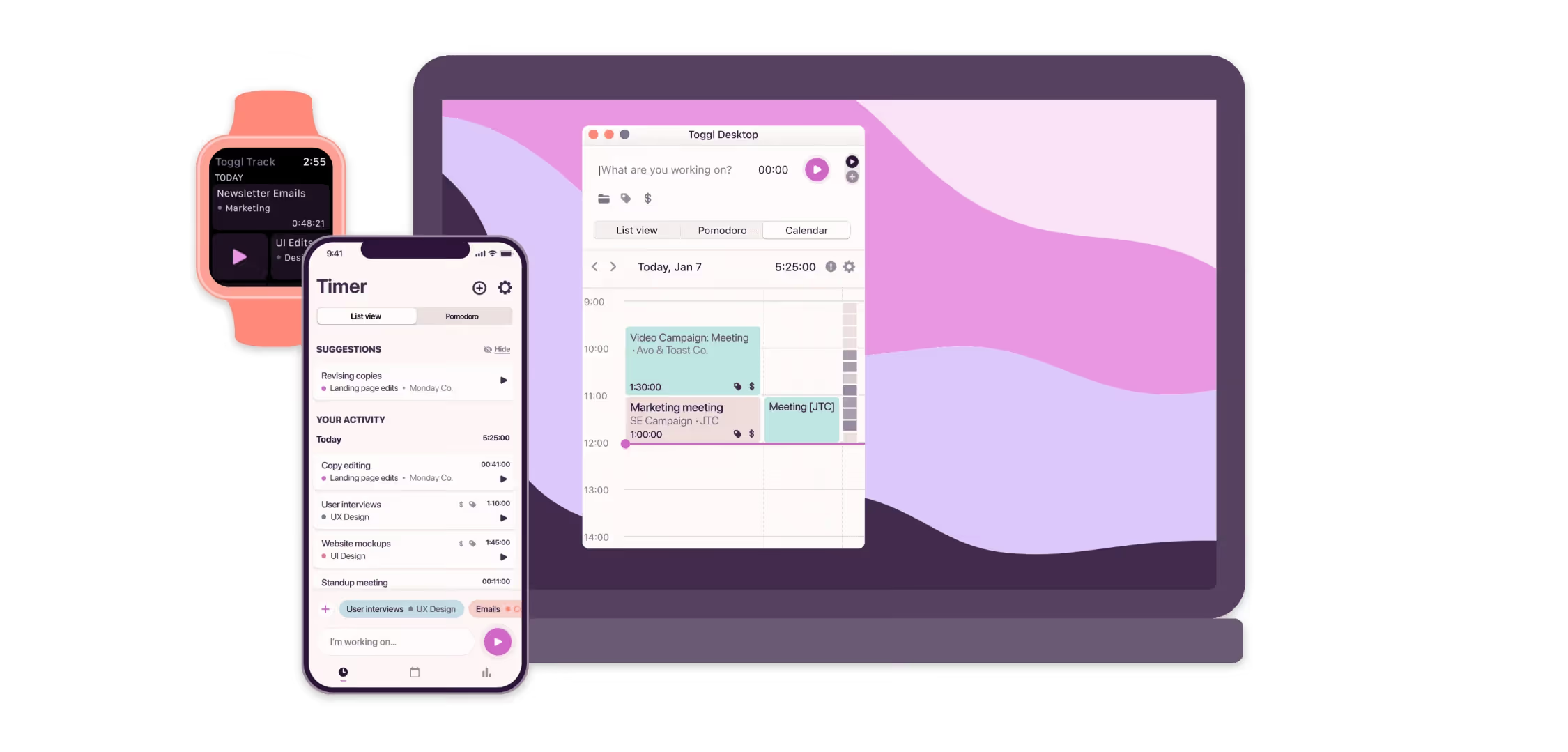
Key features:
- Time tracking with automatic detection and manual time entry
- Idle detection that prompts you when you step away
- Timesheet reports with approval
- Profitability, productivity and workload reports
- Browser extensions that connects with other tools
Toggl Track’s simple setup is perfect for saving time on tracking where time is being spent and billing for lawyers. It frees you to do actual legal work without constantly worrying about missing billable hours.
2. Document drafting
Document drafting apps are tools used to create, edit, and share online content in real time that help lawyers cut down time spent on revision cycles.
These apps let multiple users collaborate on the same legal documents and include version control to track changes, reducing confusion between file versions.
Google Docs
Google Docs is a free, cloud-based word processor that is widely used in the legal profession for drafting documents.
Its popularity comes from its quick online access, simple interface, and wide range of features for secure drafting and sharing.
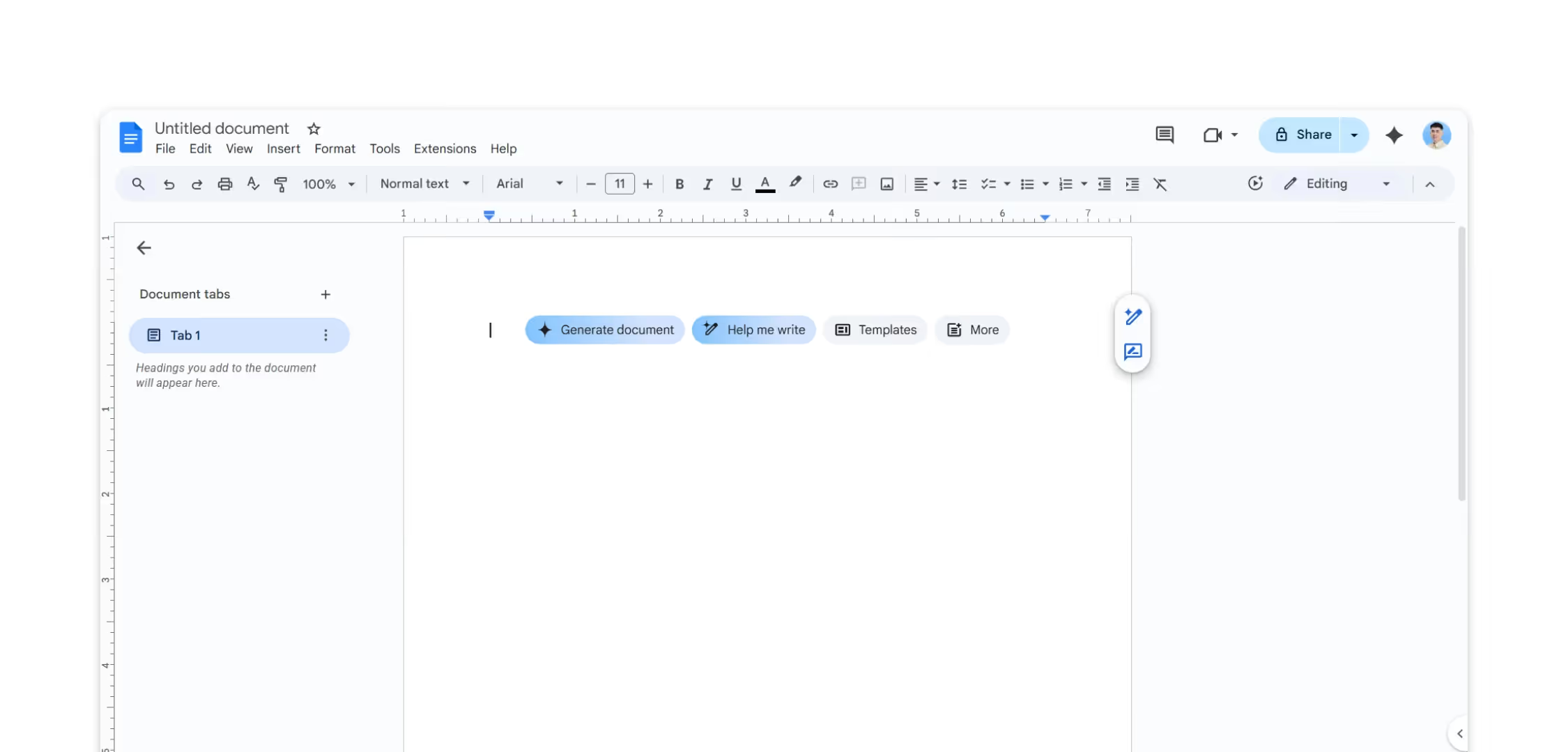
Key features:
- Real-time collaboration with multiple users in same document
- Works on any devices (desktop, mobile, tablet)
- Automatic saving to Google Drive
- Compatible with Microsoft Word Files
- Detailed version history
- Comment threads for internal discussion
- Access control with file sharing permissions
- Offline access
- Direct export to Microsoft Word, PDF, and other formats
Google Docs improves legal team collaboration on legal documents from anywhere. Also, the ability to add notes, suggest edits, and track changes makes document review and refinement much faster.
3. Note taking
Law practice is typically known for its fast-paced environment in which information is consumed constantly and can make you feel overwhelmed.
Note-taking apps are useful tools that let you capture information such as ideas, meeting details, and research. They organize your notes and make them searchable and shareable, making it easier for you to review information.
Evernote
Evernote is a note-taking app that lets you organize your ideas, tasks, and case notes in one place. It lets you take notes that support attachment of images, audio, and files, which makes collaboration with your team and clients easier.
Key features:
- Document scanning via mobile camera
- Web clipping for research
- Audio recording with playback and transcription
- Searchable text within scanned documents
- Note organization by case, client, or practice area
- Task lists and reminders
It brings advantages for law firms with scattered notes across case projects, turning them into a centralized resource of thoughts for reference.
4. E-signatures
E-signature apps simplify how law firms handle the review and signing of documents. With these tools, lawyers and clients can sign contracts digitally from any location, speeding up the process for approvals.
DocuSign
DocuSign is a popular electronic signature app used in legal practices for its security and legal compliance. It helps lawyers manage large volumes of documents throughout the stages of the signing process.
Key features:
- Legally binding e-signatures recognized in court
- Multiple signature options (draw, type, upload)
- Mobile app support for on-the-go signing
- Automated reminders for pending signatures
- Complete audit trail
- Signer authentication options for sensitive documents
DocuSign accelerates the contract lifecycle and helps cases move along more quickly. The reduction of the need to meet in person or deal with physical documents provides convenience for both clients and lawyers.
5. Password manager
Password manager apps generate and manage your passwords and other sensitive information.
Instead of memorizing or writing passwords for every account you're handling, which is prone to security risks, you can store them in an encrypted digital vault.
LastPass
LastPass is a tool that helps legal teams manage passwords and protects login credentials for accounts they use like contract, billing, and practice management systems.
Key features:
- Automatic strong password generation
- Encrypted password vault
- Browser extensions for auto-fill
- Syncs to all your devices
- Secure password sharing
- Multi-factor authentication
LastPass reduces the security vulnerabilities that come with poor password practices.
6. Practice management
Legal practice management software is built to centralize operations for law firms. These platforms help you handle everything you need to run your practice, including:
- Client intake and CRM
- Case and matter management
- Calendar and deadline tracking
- Document automation and template libraries
- Time tracking and billing
- Task and workflow management
- Client communications and case updates
- Internal communication
- Reporting and analytics
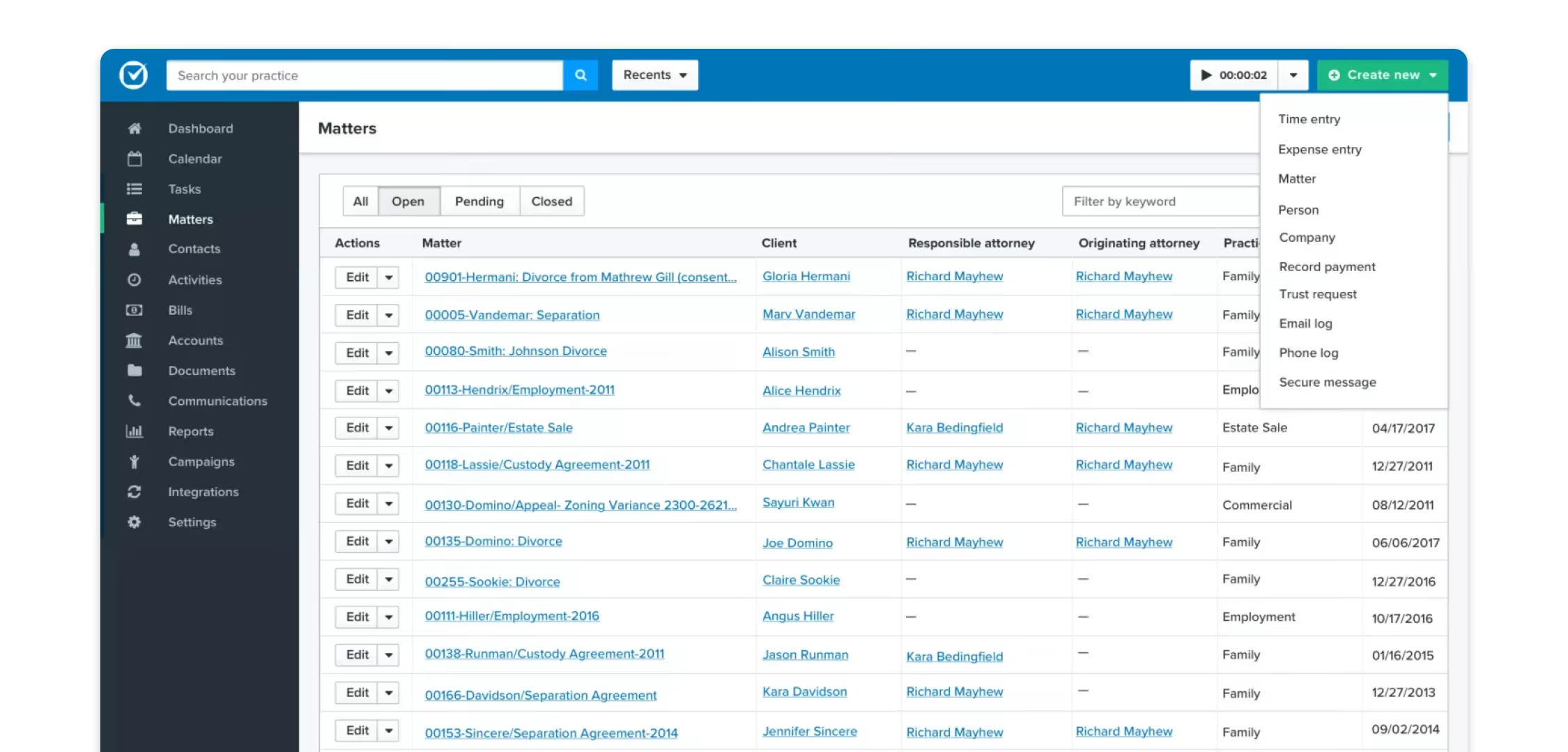
Since it works as the foundation to run your firm's daily operations, it's important to choose the right solution that will back you up. The top tools that often surface in conversations for reliability in the legal industry are:
- Clio: Known for its user-friendly interface and extensive integrations with other legal apps.
- MyCase: Popular for its ease of client communications and client portal.
- PracticePanther: Valued for automation features that help small teams operate with the efficiency of larger firms.
7. Payment processing
Payment processing apps replace the outdated tracking of time logs and generation of paper or spreadsheet invoices. They provide a way to automate the entire billing and payment cycle digitally, which helps lawyers get paid faster.
LawPay
LawPay is a payment processing platform developed specifically for the legal industry to handle trust and operating accounts correctly.
Key features:
- ABA and IOLTA-compliant
- Payment plans and subscription billing for retainers
- Client portal for online payments
- Connects with legal and accounting software
- Mobile apps for processing payment
LawPay simplifies the way lawyers get paid and increases client confidence by making payment available at their convenience.
8. Talent marketplace
Talent marketplace apps help lawyers find, hire, and manage legal professionals. They provide automation of core HR functions like onboarding, performance tracking, and activity monitoring.
Legal Soft
Legal Soft is a platform with a talent marketplace that is exclusive for law firms. It provides candidates across different roles like paralegals, assistants, lawyers, and legal support staff that you can hire and manage directly in one place.
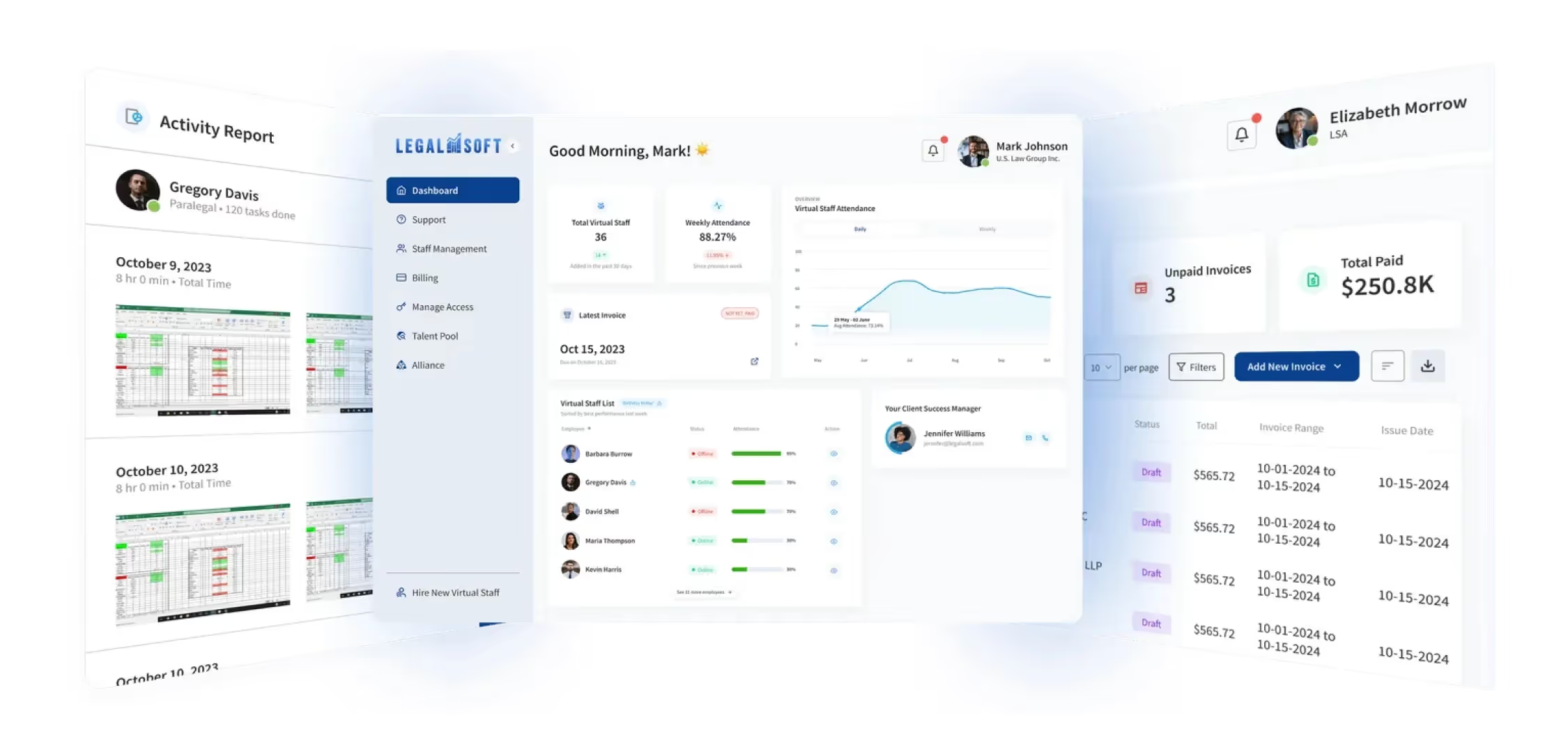
Key features:
- Pre-vetted legal talent marketplace
- Built-in time and activity tracking
- Billing and payment processing
- Centralized management dashboard
Legal Soft saves you the time and effort of finding talent. It lets you find the professionals with the right skills you're looking for.
9. Calendar management
In law practice, time is money. Calendar apps help lawyers schedule events and set reminders to manage their time.
It helps you track court dates, deadlines, and allow clients to schedule appointments based on your availability.
Google Calendar
As the name suggests, Google Calendar is a free calendar tool for tracking and managing schedules. It's simple to use and great for coordination in busy law firms with its ability to share calendars with others.
Assuming you're already using Google tools, its integration adds more enhancement to your work productivity.
Key features:
- Automatic syncing across all devices
- Shared calendars for team coordination
- Professional booking page for scheduling appointments
- Meeting reminders via email notifications
- Time zone management for those working across different time zones
Google Calendar keeps your work organized and punctual without requiring constant attention.
The coordination your law practice can have prevents the chaos of missed deadlines, double-booked meetings, and long email threads just to find the right schedule for client consultations.
10. Video conferencing
Video conferencing apps are used by lawyers to conduct meetings virtually. These platforms saw a rise along with the remote work shift and remain widely adopted in legal practices for client meetings, court appearances, and team collaboration.
The best part? They reduce the need for lawyers to travel, which saves time and money.
Zoom
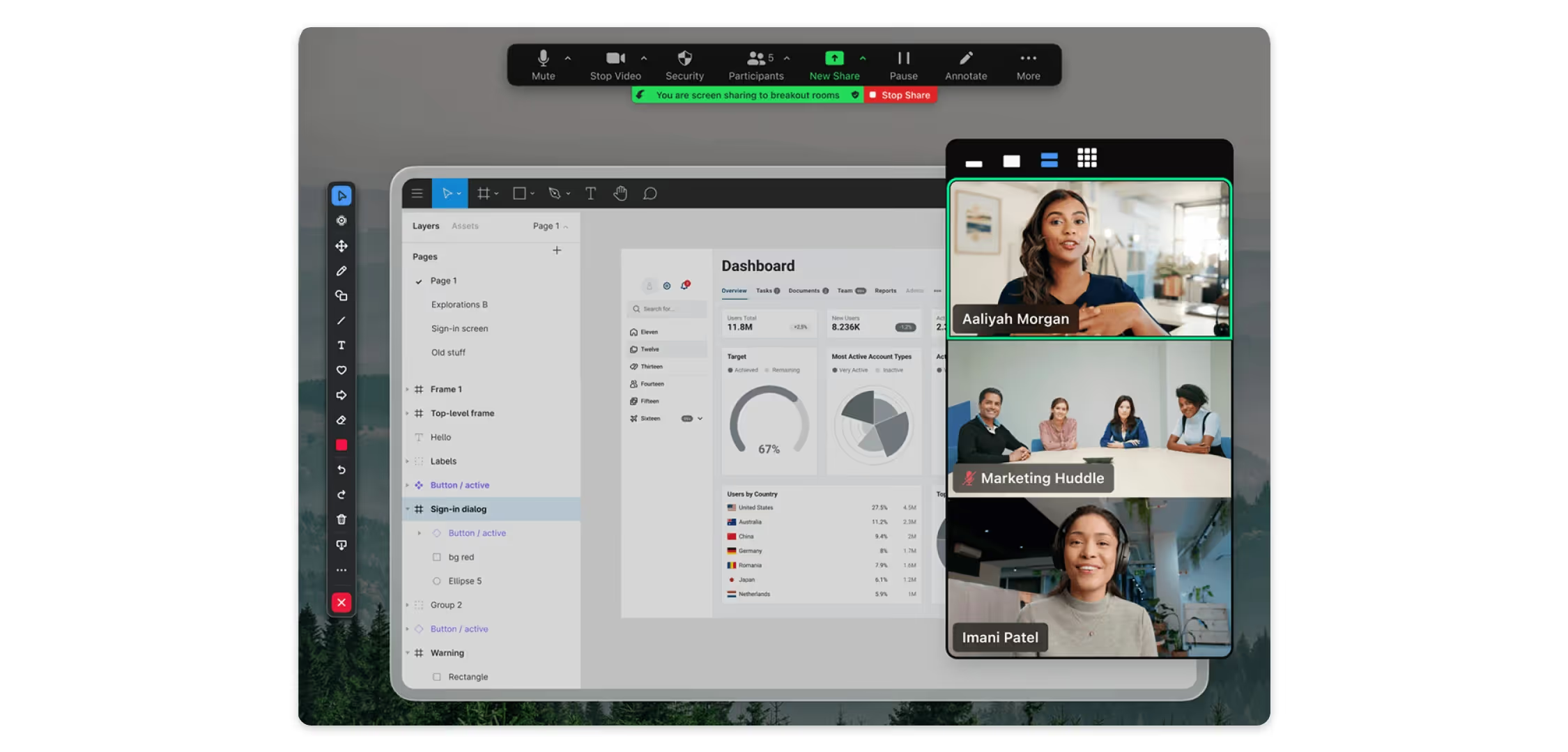
Zoom is a video conferencing platform that is becoming the professional standard for lawyers, clients, courts, and teams to meet virtually.
It gives users the ability to create and join virtual meeting rooms to communicate with each other using video and audio.
Key features:
- High-quality video and audio across all devices
- Screen sharing to present device screen
- Meeting recordings for reference and compliance
- Built-in text chat during sessions
- Breakout rooms for private or small-group discussions
Zoom provides a reliable way to connect online and collaborate with your team or clients from any location.
11. Task management
Task management apps help legal teams assign and track duties. Instead of having scattered to-do lists, you'll have a centralized board where you can assign duties, set deadlines, and monitor the progress of every task.
Monday.com
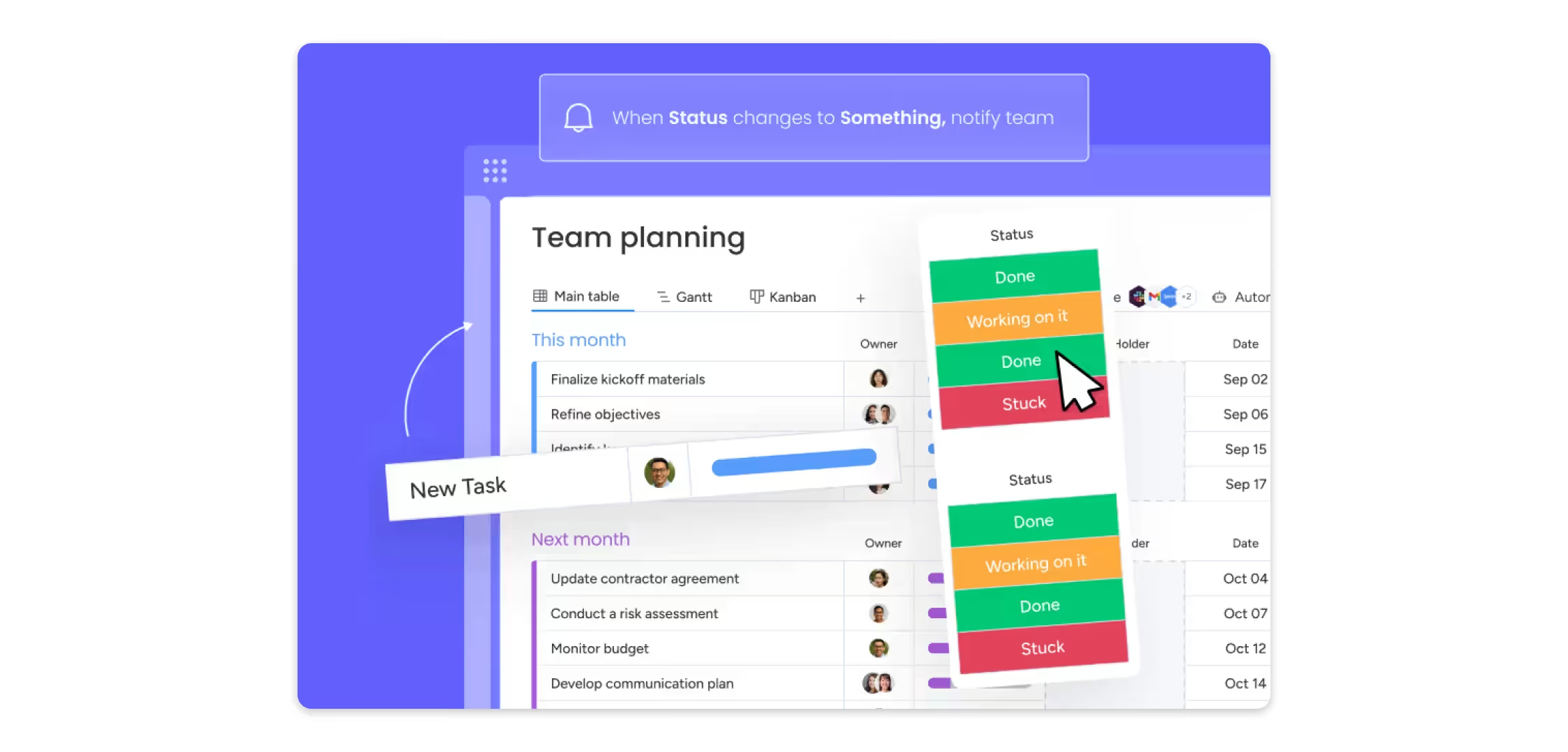
Monday.com is a platform that helps legal teams plan, manage, and track all types of work.
It allows you to create visual workflows and break projects into groups where tasks can be assigned to your team members.
Key features:
- Highly customizable boards based on your workflow
- Multiple project visualization options
- Automation for repetitive tasks and reminders
- File attachments for relevant legal documents
- Connect with over 200 productivity tools, including Slack, Google Drive
Monday.com is a great tool that gives clarity on the projects you're handling. The visibility of task progress makes it easy for you to see workload distribution and identify bottlenecks before they cause delays.
12. Cloud storage
Lawyers handle large amounts of legal documents, each containing sensitive information. Cloud storage apps provide lawyers a space to store legal documents that you can access from any device with an internet connection.
If security is your concern, these platforms provide strong protection measures like encryption and regular backups that local storage finds hard to match.
Google Drive
Google Drive helps you keep your files and access them from the browser or via desktop or mobile app. Lawyers can securely share files or entire folders with others through permission controls.
It's a great advantage for law practices already using Google Docs, Sheets, and other Workspace apps, as it allows them to create and edit files within the Drive interface.
Key features:
- 15GB of free storage with upgradeable plans
- Advanced search by file type, owner, words found in file, date modified, and more
- Automatic syncing across all devices
- File activity tracking and metadata visibility
- Real-time collaboration in Google Docs, Sheets, and Slides
Google Drive provides a cost-effective way to securely store legal data. Its support in maintaining control when sharing files or large folders with clients and teams makes it a great tool for lawyers.
13. Internal communication
Internal communication apps replace the inefficiency of slow team conversations through emails.
It allows you to set up your own channels for different projects or departments and collaborate through chat, call, and file sharing.
Slack
Slack is a workplace messaging tool used by legal teams to communicate quickly. It keeps conversations organized across teams where they can send messages and files from anywhere.

Key features:
- Organized channels for communication
- Automatic notifications when someone mentions your name
- Direct messaging and calls
- Searchable message history across all channels
- Integration with Microsoft Office, Zoom, and other tools
- Accessible on desktop, tablet, and mobile devices
Slack helps you coordinate distributed teams and makes it easier for you to collaborate on daily operations.
14. Law dictionary
Law dictionary apps provide instant access to legal definitions, case law references, and terminology explanations without carrying physical law books.
They are accessible via mobile apps, so you're always on the go without worrying about being caught off-guard by unfamiliar legal terminology.
Big Law Dictionary (Mobile App)
Big Law Dictionary is a widely used mobile app by legal professionals for quick reference on legal terminology. It contains thousands of legal terms and explanations that you can look up even without an internet connection.
Key features:
- Cover thousands of legal terms and definitions across law branches
- Offline access for on-the-go use
- Bookmark favorite terms for quick reference
- Share definitions via email, text, or social media
- Advanced search functions by category, synonym, and wildcard/phrase
Big Law Dictionary is a handy reference tool for lawyers that can help you quickly clarify terms during client meetings, depositions, or research.
15. Contract management
Contract management apps help lawyers handle the entire lifecycle of contracts. They have everything you need to manage contracts from creation to renewal.
It simplifies the repetitive tasks of processing each contract by automating its stages.
Ironclad
For modern law firms using automation, Ironclad is their go-to platform for managing contract lifecycle.
It uses AI to automate the entire contract process, which makes it useful for law practices like corporate and intellectual property that handle large volumes of contracts daily.
Key features:
- Pre-approved templates for different contract types
- AI-powered contract drafting and review
- Dashboard for tracking contract statuses and approvals
- Searchable contract repository
- Integrations with tools like Microsoft Teams, Salesforce, and HubSpot
Ironclad reduces the bottlenecks and time spent managing contract processes. It's a great tool for lawyers who need reliable oversight and want to manage higher contract volumes.
Advantages of using apps for lawyers
We've unpacked the best apps lawyers are using out there and how they can improve your operations. Here are more ways they can help:
Increased efficiency
In our guide on lawyer working hours, we found that lawyers in large law firms work an average of 66 hours per week—almost double the average 34.6 hours worked by most professionals, according to the U.S. Bureau of Labor Statistics.
Legal apps are designed to address this workload challenge. From time-tracking tools that prevent unbilled work, to automation that reduces repetitive tasks, these apps help you reclaim valuable time each day.
Enhanced client experience
As modern solutions continue to evolve, so do client expectations—not around technology itself, but around the speed, personalization, and convenience it brings.
Features like online appointment scheduling and virtual document signing simplify the legal process for both clients and lawyers. These conveniences make the experience easier for clients and improve their satisfaction with your services.
Improved collaboration
Whether your team is in the office or distributed across locations, collaboration is now at your fingertips. Legal apps allow teams to work on documents together in real time, share files securely, and manage tasks through centralized dashboards.
This flexibility to work from anywhere helps attract top talent and supports a more productive work environment.
Better protection
Reputable legal apps address the security and ethical requirements that law firms must meet. Features like encrypted cloud storage, access controls, and multi-factor authentication help lawyers protect sensitive client data and reduce the risk of compliance errors.
Choosing the right legal app
While legal apps offer many benefits, not every tool will be the right fit for your practice. To make an informed decision, consider these key questions when evaluating an app:
- Does it offer the specific features my workflow requires? Make sure the app can actually handle your daily tasks and processes.
- Is it secure? Security matters because the app will handle sensitive client data and keep you compliant.
- Do I really need it and use it? Don't get hooked on every innovative feature a tool offers and end up paying for it. Evaluate whether these tools solve your problem or if they will end up unused.
- Can it integrate with my existing systems and tools? Smooth integration prevents workflow disruption and avoids duplicate work.
- How reliable is their app support? No matter how powerful and simple-to-use the app is, questions will arise. Reliable customer support helps you resolve issues quickly and guides you through things you want to learn to maximize the use of your app.
- What is the cost structure? Evaluate pricing carefully. Some apps may offer attractive discounts but have hidden fees over the long term, which can end up costing more than they save.
Final notes
Before, there were fewer opportunities for solo lawyers and small firms to be efficient with the manual tasks they needed to get done. In today's tech-driven legal practice, the right legal apps can transform how your law firm operates.
These tools have become the answer for many lawyers to address the challenges that keep them from growing. But, they cannot work effectively without the right people to use them.
Legal Soft is where you can find the legal professionals who are already skilled in these tools. It's free to give it a try. Our platform gives you the support that your practice needs and connects you with the right professionals you can work with.
Frequently asked questions
Do lawyers in different practice areas use these apps?
Yes, lawyers across all practice areas like family law, corporate, and intellectual property, use these apps. Many of these tools come with specific features that are designed for a specific practice area.
Do these apps work on mobile and tablet?
Most legal apps offer mobile versions for iOS and Android devices. They allow access offline or with internet connections, helping lawyers stay productive on the go.